
An automotive repair receipt is more than just a piece of paper; it’s a standardized, itemized bill that details every aspect of a job you've completed for a customer. Think of it as the final handshake. It needs to include your shop's info, the customer's details, key vehicle specs (like the VIN and mileage), and a full breakdown of every part, every minute of labor, plus taxes and any warranties. Getting this right isn't just about looking professional—it's about creating a legally sound record of the entire transaction.
Why a Professional Repair Receipt Is Your Best Business Tool

Let's be honest, a handwritten note on a generic pad just doesn't cut it anymore. A detailed, professional automotive repair receipt is far more than proof of payment. It's one of the most fundamental tools you have for protecting your shop's reputation and financial health. This single document pulls a lot of weight, handling critical functions that can make or break your relationship with customers and even keep you on the right side of regulatory bodies.
Think of it as your first line of defense. When a customer comes back six months later questioning a warranty claim, a clear receipt with itemized parts and specific service dates is undeniable proof of the work done. That same document is your best friend during tax season, giving auditors a transparent trail of sales and inventory. Without it, you’re left relying on memory and messy paperwork, which is a recipe for disputes and serious financial headaches.
Build Unbreakable Customer Trust
In our industry, trust is everything. Nothing builds that trust faster than total transparency. A meticulously detailed receipt shows customers exactly what they paid for, from the cost of each individual spark plug to your hourly labor rate. That kind of clarity nips suspicion in the bud and prevents those frustrating phone calls questioning vague charges.
A professional receipt also sends a powerful message: you run a legitimate, organized shop. It's a subtle signal that you value precision and stand behind your work, which goes a long way in building customer confidence and encouraging them to come back. When people feel respected and informed, they don't just become repeat customers; they become advocates for your business.
Your receipt is often the last interaction a customer has with your shop. A professional, clear, and detailed document leaves a lasting impression of quality and integrity, turning a simple transaction into a trust-building experience.
A Shield for Legal and Financial Protection
Beyond keeping customers happy, a proper automotive repair receipt template is a non-negotiable legal and financial document. It serves as a binding record of the services you and the customer agreed on and that you completed. This is absolutely crucial if a payment dispute ever comes up, as it provides a clear, itemized breakdown of charges that's tough to argue with.
This level of documentation is especially important in a booming market. The global automotive repair industry was valued at around USD 744.4 billion in a single year, and it's only expected to grow. This massive expansion underscores the need for professional tools to manage your shop effectively and stay compliant. You can dive into more data on the growing automotive service market from IMARC Group.
The Anatomy of a Flawless Auto Repair Receipt
A professional auto repair receipt does a lot more than just show the total cost. It tells the whole story of the job, from start to finish, leaving no room for questions or confusion. Think of it as the official record that protects both your shop and your customer by making every detail of the service crystal clear. Getting this document right means understanding what pieces of information absolutely have to be there.
First impressions count, right? The top of your receipt is what sets the professional tone. Your shop's name, logo, address, phone number, and website need to be front and center. This isn't just about branding; it's about legitimacy. It instantly builds trust and makes it simple for customers to find you for their next service.
Right below your shop's details, you need a dedicated spot for the customer and their vehicle. These two are permanently linked to the service record, so let's get them right.
Customer and Vehicle Essentials
Good records are built on good data. Getting these details right is non-negotiable, especially when it comes to warranty claims, tracking service history, and just having clear communication with your customers.
- Customer Details: Get their full name, address, and at least one good way to reach them (phone number or email).
- Vehicle Information: Be specific here. You'll need the year, make, model, and license plate number.
- The VIN: Always, always include the Vehicle Identification Number (VIN). That 17-digit code is the car's unique fingerprint, removing any doubt about which vehicle was on the lift.
- Mileage: Note the vehicle's mileage when it came in for service. This is absolutely critical for tracking maintenance schedules and proving warranty eligibility.
This information creates a permanent, searchable record for that specific vehicle, which is a lifesaver for both you and your customer down the line.
A receipt without a VIN or accurate mileage isn't just incomplete—it's a liability. In a warranty dispute, those details are your best defense and the foundation of a credible service history.
To help you decide what's a must-have versus a nice-to-have, here’s a quick-reference guide. It's all about prioritizing information to ensure your receipts are clear for customers and compliant for your business.
Essential vs Recommended Fields for Your Repair Receipt
| Field Category | Essential Information | Recommended (Optional) Details |
|---|---|---|
| Shop Information | Shop Name, Address, Phone Number | Website, Email, Business Hours, Logo |
| Customer Information | Full Name, Phone or Email | Full Address, Secondary Contact Info |
| Vehicle Information | Year, Make, Model, VIN, Mileage In/Out | License Plate Number, Engine Size, Color |
| Service Details | Date of Service, Receipt/Invoice Number | Technician's Name/ID, Promised Completion Date |
| Line Items | Detailed Parts List, Detailed Labor Descriptions | Part Numbers (SKUs), Labor Hours per Task |
| Pricing & Totals | Subtotal, Taxes, Grand Total | Discounts Applied, Shop Supply Fees |
| Payment & Terms | Method of Payment, Payment Date | Warranty Information, Shop Policies |
Having this structure in place makes your receipts consistent and professional every single time. It shows customers you’re organized and transparent.
Itemizing Parts and Labor
This is the heart of your receipt, the place where transparency is everything. I've seen it a thousand times: vague descriptions and lumped-together costs are the fastest way to erode customer trust. The goal here is to break down every single charge so clearly that anyone—even someone who knows nothing about cars—can understand what they paid for.
When you list parts, give each one its own line. Include the part name, how many were used, the part or SKU number, and the price for each. For instance, don't just write "Brake parts." Get specific: "2x Front Ceramic Brake Pads" and "2x Front Brake Rotors," each with its own price.
Your labor breakdown needs to be just as detailed. Describe the work performed (e.g., "Diagnose Check Engine Light," "Replace Front Brake Pads and Rotors") and then list the number of hours billed and your shop's hourly rate. This shows the customer the real value of your technician's skill and time.
Finally, make sure any other charges get their own line item. This usually includes:
- Shop Supplies: A small, reasonable fee to cover consumables like cleaners, rags, or lubricants.
- Disposal Fees: A charge for correctly disposing of old oil, tires, or other hazardous materials.
- Taxes: Clearly state the sales tax applied to the relevant parts or services.
Itemizing like this prevents sticker shock at the counter and proves your shop operates with integrity. If you're looking for a solid starting point, you can learn more about crafting a generic business receipt with ReceiptGen that you can easily adapt for your auto repair services.
How to Build Your Custom Template in Minutes
Putting together a polished, professional auto repair receipt doesn't have to be a drag. Forget wrestling with clunky software or generic downloads. With the right setup, you can build a custom receipt that actually reflects your shop’s brand and professionalism in just a few minutes. This isn't about adding another chore to your day; it's about turning a simple document into a powerful business tool.
First things first: make it yours. Your receipt should be instantly recognizable. Slap your business logo, name, full address, and contact info right at the top where no one can miss it. Think of this section as your digital handshake—it tells the customer they're in the right place before they even scan the charges.
The best way to think about a good receipt is as a simple flow of information. It starts with the customer, moves to the vehicle, and ends with the costs.
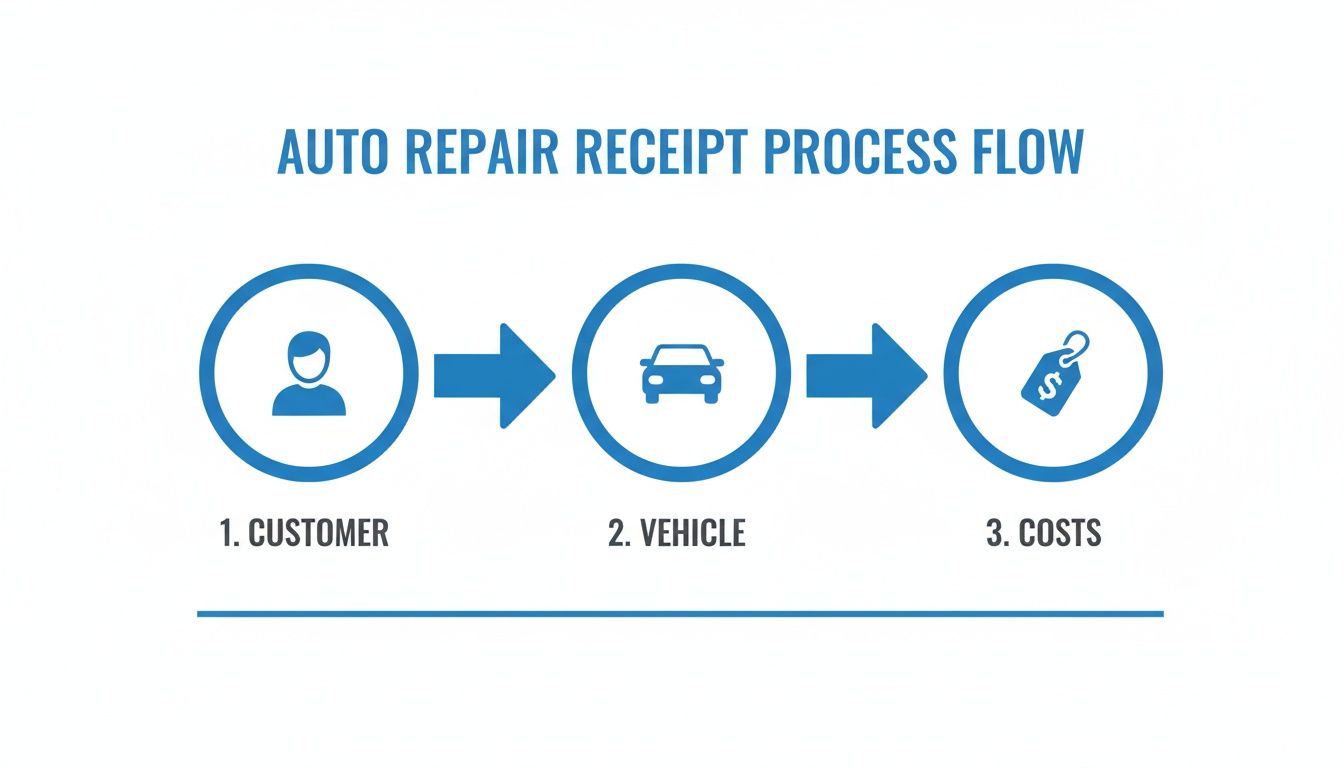
When you see it laid out like this, it’s clear how every piece of information connects. You're not just listing numbers; you're building a complete, transparent record of the job from start to finish.
Setting Up Your Service Line Items
With your branding locked in, it's time to get into the nuts and bolts: itemizing your services. This is where a well-designed template really starts to pay off. Instead of manually typing "Brake Pad Replacement" for the hundredth time, you can build a library of pre-set line items for all your common jobs.
Don't just stop at the job title, though. Add detailed descriptions. For a "Full Synthetic Oil Change," your line item could automatically include sub-points for the new oil filter, topping off other fluids, and a quick tire pressure check. This little bit of extra detail does wonders for showing customers the value you provide. It screams transparency.
Here’s a practical way to get started:
- List Your Top 10 Services: Begin by creating entries for the jobs you do day in and day out.
- Include Part Numbers: For common parts like filters or spark plugs, pre-fill the SKUs. It’s a small step that prevents big mistakes.
- Set Default Rates: Assign your standard labor hours and costs to each service. You can always tweak them for a specific job, but this gives you a solid starting point.
In competitive markets like North America and Western Europe, repair shops live and die by their credibility. Custom templates let small shops and even freelancers put their best foot forward, looking just as professional as the big chains.
Configuring Taxes, Discounts, and Totals
The final piece of the puzzle is the math. A great template handles all the calculations for you, which means no more human error that could cost you money or a customer's trust. Your system should let you set a default tax rate that automatically applies to parts and other taxable items.
You also need the freedom to add discounts on the fly, whether it's a percentage for a seasonal promotion or a flat dollar amount for a loyal customer. The template should crunch the numbers, calculate the subtotal, apply taxes and discounts, and spit out a clear, accurate grand total.
A receipt that calculates totals instantly and accurately does more than save time—it reinforces your professionalism. When a customer sees a clear, error-free breakdown of costs, it builds confidence in your shop's integrity and attention to detail.
Once you've got it just right, save your work. A good system lets you save your customized automotive repair receipt template so every customer gets the same consistent, high-quality document.
If you're still exploring options, our guide on using Microsoft Word for receipt templates might offer some useful pointers. And if you're ready to jump right in, you can download smart receipt templates to get started.
Pro Tips for Advanced Receipt Customization
 Once you've nailed down the basic fields, it's time to turn your automotive repair receipt template from a simple proof of payment into a real asset for your shop. A few thoughtful tweaks can improve clarity, add a layer of legal protection, and make your entire process more efficient. These are the details that build customer confidence and set your business apart.
One of the smartest customizations you can make is adding a dedicated section for notes and disclaimers. Think of it as your space to get ahead of common questions. You can clarify warranty details for specific parts, outline your policy on returned cores, or explain how your shop handles parts supplied by the customer. Being upfront about this stuff saves you headaches down the road and shows customers you run a transparent operation.
Clarifying Services and Building Trust
The way you describe your work matters. A lot. Vague service descriptions are a recipe for confusion and can make customers question your pricing. Instead of just putting "Fluid service," get specific. Was it a "Transmission Fluid Drain and Fill" or a "Complete Brake Fluid Flush"?
This level of detail does two critical things: it shows the customer exactly what they paid for and justifies the cost. Let's look at a couple of real-world examples:
Instead of: "A/C Service"
Try: "A/C System Evacuation and Recharge with UV Dye"
Instead of: "Engine Tune-Up"
Try: "Spark Plug Replacement (4x Platinum Plugs) and Ignition Coil Inspection"
By adding these more descriptive versions as saved line items in your system, you ensure every receipt is detailed and consistent without extra effort. It’s a small change that speaks volumes about your shop’s professionalism.
A well-phrased service description does more than list a task—it demonstrates value. When customers understand the complexity and specifics of the work, they are more confident in the price they are paying and the quality of the service they received.
Mastering Digital Delivery and Record Keeping
Let's be honest, paper receipts get lost. In today's world, a digital copy is far more practical for everyone. Emailing receipts as PDFs gives your customers a permanent, searchable record they can't stuff in a glove box and forget. For you, it creates a bulletproof record of delivery.
But your digital game can't stop at just hitting "send." How you name your files is just as important for your own sanity, especially come tax time. A messy folder of randomly named PDFs is a nightmare to sort through.
Get into the habit of using a consistent naming system that makes every file easy to find. A simple, effective format is:
[Date]_[CustomerLastName]_[InvoiceNumber].pdf For example: 2024-10-28_Smith_12045.pdf
This structure lets you sort your records by date, customer, or invoice number in seconds. When you need to look up an old job, you won't be scrolling through hundreds of files named "receipt.pdf." These are the kinds of thoughtful details that separate a good shop from a great one.
To get started, explore the wide range of professional receipt templates available from ReceiptGen and find a design that fits your business perfectly.
Navigating Taxes and Legal Requirements
Let's be honest, taxes and legal stuff can feel like a headache. But a solid automotive repair receipt template takes the pain out of it, turning a chore into a simple, repeatable process. Getting your shop’s finances right starts with knowing how to handle sales tax, which can get tricky since it often applies differently to parts and labor depending on your state or city.
For instance, many places tax parts but leave labor untaxed. A receipt that clearly breaks these two out isn’t just for your customer’s benefit—it’s non-negotiable for accurate tax reporting. When audit time comes, clean digital records are your best friend, making a modern receipt system an essential part of your shop’s toolkit.
Why Clear Documentation is Your Best Defense
Think of your receipt as more than just a bill; it's a legal document. If a customer ever disputes a charge, that detailed, signed invoice is your proof of what was agreed upon, what work was done, and which parts were used. It protects your shop by creating a transparent record that leaves no room for argument.
This isn't just a local concern. From Asia Pacific, the fastest-growing auto repair market, to Europe with its tight regulations, detailed billing is a global standard. This universal need for compliance is exactly why modern tools are so valuable—they help you create professional, compliant documents no matter where you are. You can dig deeper into the global automotive repair market from Mordor Intelligence.
An organized digital receipt system isn't just a nice-to-have; it's a financial shield. It turns a potential nightmare like a tax audit or payment dispute into a straightforward task of pulling up clear, detailed records.
Making Your Record-Keeping Effortless
Trying to manage a mountain of paper receipts is a fast track to chaos and lost information. Moving to a digital system means every single transaction is saved securely, easy to find, and ready for your accountant when they need it. This simple shift makes tax season a whole lot less painful.
To really nail your record-keeping, think about using a dedicated receipt scanning app to digitize any paper invoices or receipts that come your way. By making this part of your daily routine, you create a unified system where every financial document, digital or physical, lives in one place. It’s a small habit that protects your business from costly mistakes and gives you the confidence to manage your shop's finances like a pro.
Common Questions About Auto Repair Receipts
When it comes to paperwork, even the most seasoned mechanics and shop owners run into questions. A solid automotive repair receipt template is your best defense against confusion and a great tool for professionalism, but some situations are just plain tricky. Let's tackle a few of the most common questions that pop up in shops every day.
What Is the Most Important Piece of Information on a Receipt?
Every detail on your receipt matters, but if I had to pick just one, it would be the Vehicle Identification Number (VIN). Hands down. This unique 17-digit code is like the car's fingerprint; it eliminates any and all confusion about which vehicle was serviced.
The VIN is absolutely essential for tracking a car's complete repair history, validating warranty claims down the road, and keeping your records squeaky clean. It's the one thing you should always double-check before printing.
Think of the VIN as the social security number for the car. Without it, that detailed service record isn't officially tied to anything, which can create huge headaches in a warranty dispute or when the customer tries to sell the vehicle.
Can I Just Use a Generic Office Store Receipt for My Shop?
You can, but you really shouldn't. Using one of those generic receipt books you grab off the shelf is a move that can seriously undermine your shop's professional image and, more importantly, leave you unprotected.
Those pads are missing all the industry-specific fields you actually need:
- Dedicated spots for the VIN and mileage.
- A clear, separate breakdown of parts and labor.
- Space for crucial details like warranty information or technician notes.
A custom automotive repair receipt instantly makes your shop look more legitimate and builds customer trust. It also provides far better legal protection by ensuring you capture all the necessary details on every single job. It’s a simple way to show you’re a serious professional.
How Should I List Shop Supplies or Miscellaneous Fees?
Transparency is your best friend here. It's tempting to just add a vague line item like "Miscellaneous Fees," but that's one of the fastest ways to create customer distrust and spark an argument at the counter.
Instead, create a specific, clearly labeled line for "Shop Supplies" or "Environmental Disposal Fees." You can calculate this as a small flat fee or as a percentage of the total labor cost—either way works.
The key is to add a brief, one-sentence explanation in the notes section. Something like, "Covers cleaning materials, lubricants, and proper disposal of used fluids" does the trick. This tiny bit of effort shows you're being upfront and can prevent a lot of frustrating questions when it's time to pay.
Ready to create flawless, professional receipts in seconds? ReceiptGen offers a free and easy-to-use receipt maker with fully customizable templates designed for auto repair shops. Try ReceiptGen today and build the perfect receipt for your business.