Managing your business finances shouldn't drain your budget. Finding the best free accounting software for small businesses can feel overwhelming, with countless options promising to simplify your bookkeeping. This guide cuts through the noise to provide a clear, actionable roundup of the top free tools available, helping you make an informed decision without spending a dime upfront. Whether you're a freelancer tracking invoices, a startup managing its first set of books, or an established small business looking to cut costs, the right software is crucial for maintaining financial health and ensuring accurate records.
This article provides a comprehensive breakdown of 12 leading free accounting platforms. For each option, you'll find a detailed analysis that goes beyond a simple feature list. We'll explore:
- Key Features: What core functionalities does the free plan offer?
- Limitations: What are the caps on invoices, clients, or users? When might you need to upgrade?
- Best For: Specific use cases, such as service-based businesses, e-commerce sellers, or desktop-only users.
- Pros & Cons: An honest assessment to help you weigh your options.
- Integrations: How well does it connect with other tools you use?
Many free accounting software options offer robust features designed to automate tasks, allowing small businesses to truly streamline their finances and reduce manual effort through efficient automatic accounting software. Our goal is to equip you with all the information needed to select a platform that not only fits your current needs but can also support your business as it grows. With direct links and screenshots for each tool, you can start organizing your finances today.
1. Wave Accounting
Wave stands out as one of the best free accounting software options, particularly for freelancers, solopreneurs, and small service-based businesses in the US and Canada. Its "Starter" plan is genuinely free for core accounting, invoicing, and receipt management, making it an ideal no-cost entry point into professional financial management. The platform offers double-entry accounting without the steep learning curve, providing essential reports like Profit & Loss and balance sheets.
Wave’s user interface is clean and straightforward, simplifying tasks like creating and sending professional, customized invoices. You can also easily invite an accountant or bookkeeper with a dedicated login, enhancing collaboration.
Key Features and Limitations
Wave’s free tier is robust but has clear boundaries. While you get unlimited income and expense tracking, crucial automation features are reserved for the paid "Pro" plan.
- Free Features: Unlimited invoicing, core accounting, and expense tracking. You can also add unlimited users and collaborators.
- Paid Add-Ons: For a monthly fee, the Pro plan unlocks automated bank transaction imports and receipt scanning. Wave also offers separate paid services for payroll and credit card processing.
- Best For: Service-based businesses that don't need inventory management. It’s perfect for those who can manually upload bank statements and don't require advanced reporting.
How It Complements ReceiptGen
While Wave's free plan requires manual receipt entry, you can streamline your record-keeping. If you need to document a cash transaction or a missing invoice, creating a digital copy is essential. For guidance on structuring these records correctly, you can review this detailed guide on how to make a receipt for payment. This ensures your manually entered expenses in Wave are accurately documented for tax purposes.
Website: https://www.waveapps.com
2. Zoho Books (Free Plan)
Zoho Books offers a surprisingly powerful free plan that stands out as one of the best free accounting software options for very small businesses. Designed for solopreneurs and micro-businesses in the US with revenue under a specific threshold, its free tier provides a full-featured accounting suite, not just a stripped-down version. This makes it an excellent starting point for businesses that anticipate growth and want a clear, scalable upgrade path within a comprehensive ecosystem.
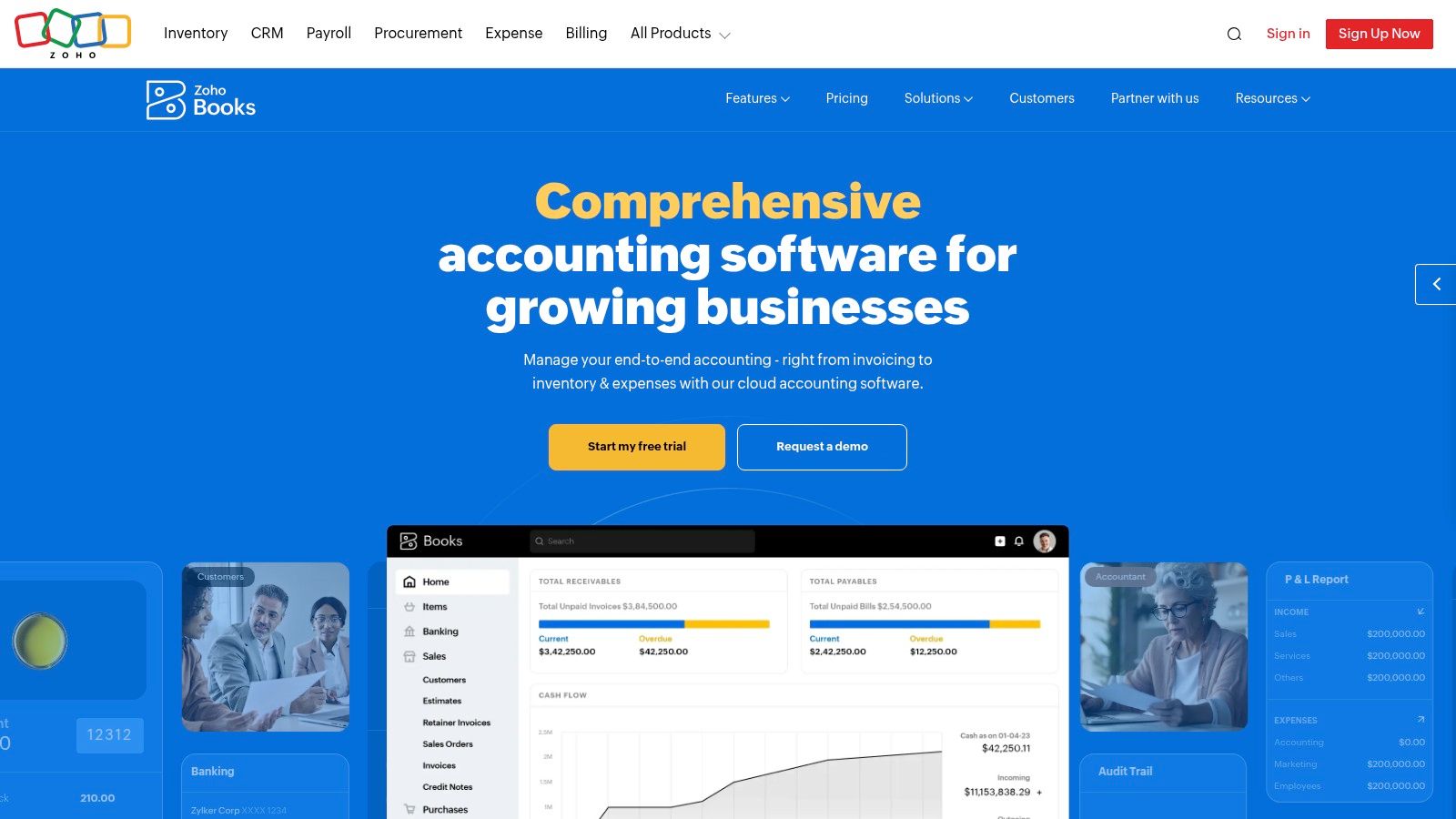
The platform is more than just invoicing; it includes contractor management (W-9 and 1099 e-filing), bank reconciliation, and over 50 business reports. The user interface is professional and aligns with the broader suite of Zoho products, offering a seamless experience for those who might later adopt Zoho's CRM or other business tools.
Key Features and Limitations
Zoho's free plan is generous but has strict eligibility requirements, primarily a revenue cap, to keep it free. This makes it ideal for new ventures before they scale.
- Free Features: Manage invoices and expenses (with annual limits), handle 1099 contractor payments, connect one bank account for reconciliation, and access a client portal.
- Paid Add-Ons: Upgrading to paid plans removes the revenue and transaction limits, adds more users, and unlocks advanced features like project tracking, inventory management, and deeper automation.
- Best For: US-based micro-businesses and solopreneurs who need robust accounting and contractor management tools from day one but fall under the annual revenue cap.
How It Complements ReceiptGen
When managing your expenses in Zoho Books, maintaining pristine documentation is key, especially for out-of-pocket or cash purchases. If you need to create a record for an expense where a receipt was lost or not provided, it’s crucial that the document looks professional and contains all necessary details. You can find a perfect sample business receipt to guide you in creating compliant documentation, ensuring every expense you log is properly substantiated for your records.
Website: https://www.zoho.com/books
3. ZipBooks
ZipBooks offers an intelligent and user-friendly approach to accounting, making it a strong contender for the best free accounting software for small businesses, especially for freelancers and consultants. Its "Starter" plan is completely free and provides a solid foundation for managing finances, focusing on simplicity and essential features. The platform allows for unlimited invoicing and vendor/customer management, which is a significant advantage over other free options.
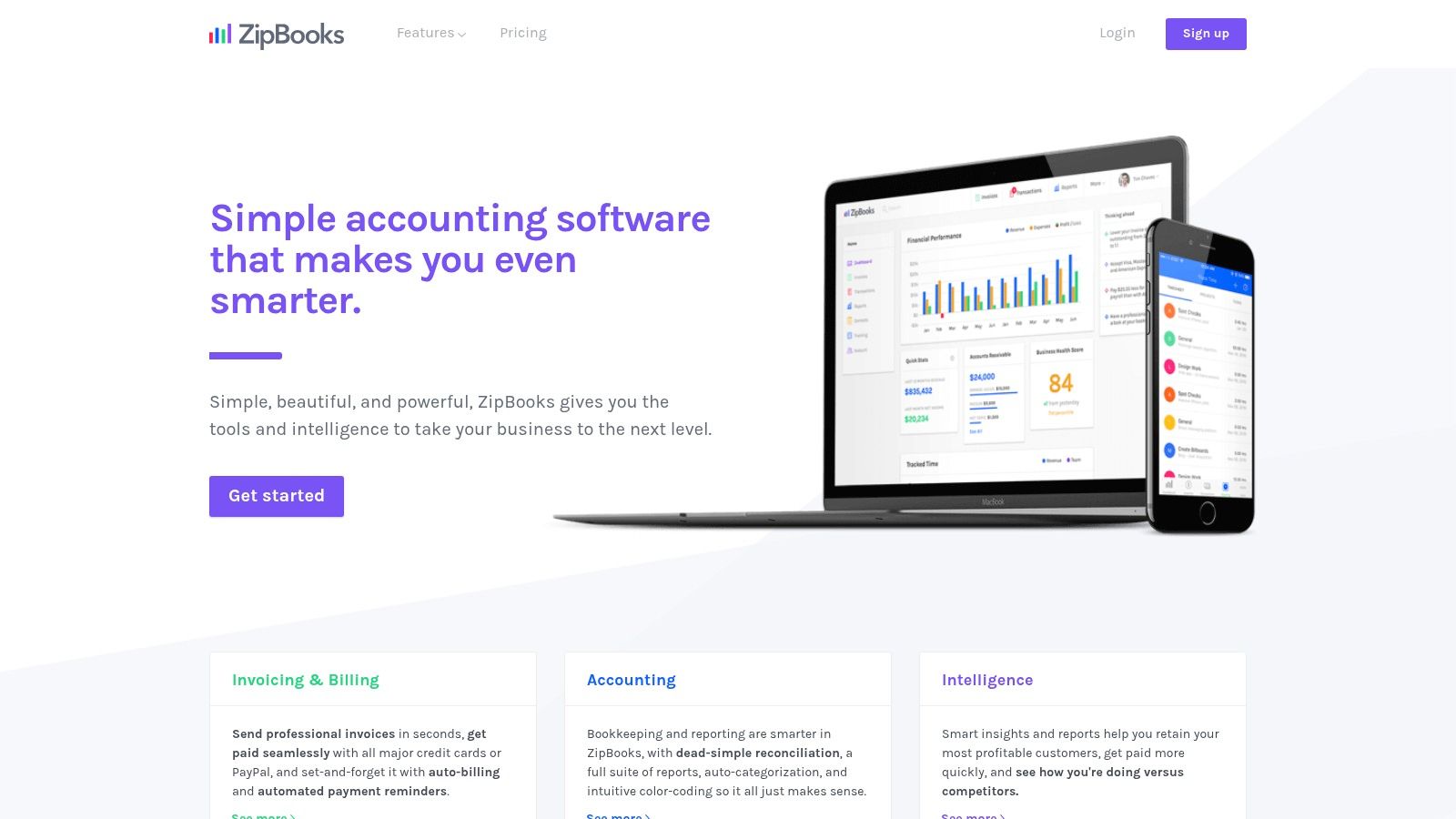
The onboarding process is particularly smooth, with helpful defaults that get you up and running quickly. You can connect one bank account for transaction reconciliation and accept digital payments through Square or PayPal, streamlining your cash flow.
Key Features and Limitations
ZipBooks' free tier is designed for simplicity and core functionality, with more advanced automation and team features reserved for its paid plans.
- Free Features: Send unlimited invoices, manage unlimited customers and vendors, and connect one bank account for basic bookkeeping. Basic reporting is also included.
- Paid Add-Ons: Upgrading to a paid plan unlocks features like recurring billing, time tracking, automated reminders, and the ability to manage multiple team members.
- Best For: Freelancers and small businesses that prioritize easy invoicing and client management. It’s ideal for users who need a clean interface and don't require complex inventory or payroll tools.
How It Complements ReceiptGen
When you send invoices with ZipBooks, clients may require a detailed breakdown of charges for their own records or expense reports. Creating a professional, itemized receipt is crucial for transparency and timely payments. You can use an itemized receipt template to ensure every cost is clearly documented, complementing the invoices you generate in ZipBooks and maintaining a professional image.
Website: https://zipbooks.com
4. Manager (Desktop Edition)
Manager offers a powerful, full-featured accounting solution for small businesses that prefer an offline, desktop-based workflow. Its Desktop Edition is completely free forever for Windows, Mac, and Linux users, providing a robust double-entry accounting system without feature limitations or data caps. This makes it a standout choice for those who value data privacy and want to manage their finances without relying on a constant internet connection.
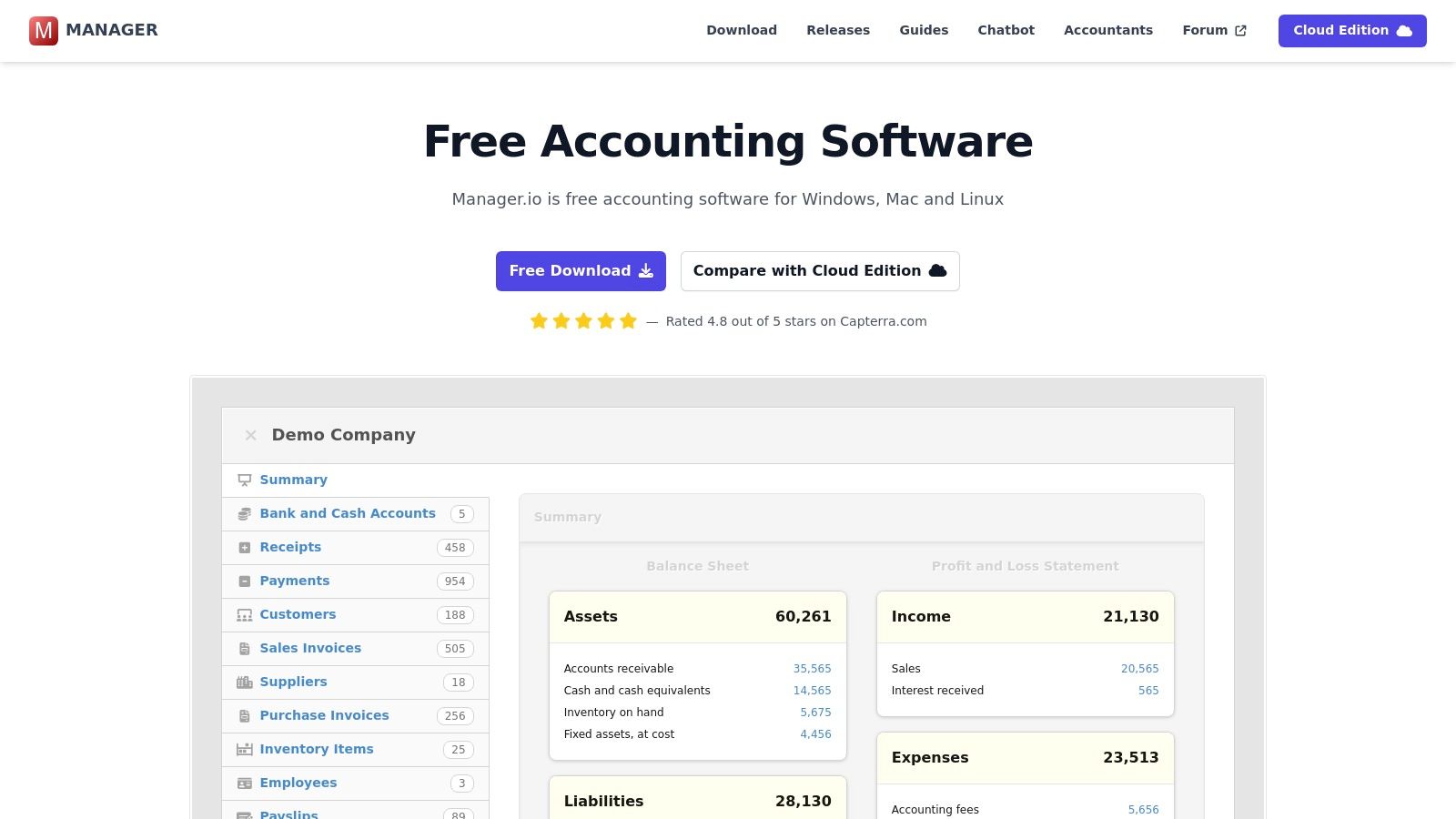
The software is built on a modular system, allowing you to enable only the features you need, such as accounts receivable, inventory, fixed assets, and multi-currency support. While its user interface is more utilitarian than modern cloud platforms, its functionality is deep and comprehensive, making it one of the best free accounting software options available.
Key Features and Limitations
Manager’s free desktop app is remarkably complete, but collaboration and remote access are firewalled behind its paid cloud plans. This creates a clear distinction between its free and premium offerings.
- Free Features: The desktop version includes everything: general ledger, AR/AP, bank statement imports, inventory management, fixed assets, powerful reporting, and budgeting tools. It works fully offline.
- Paid Add-Ons: For cloud access, multi-user collaboration, and server hosting, you must upgrade to the paid Cloud or Server editions.
- Best For: Product-based or service-based businesses that need advanced features like inventory and fixed asset management and prefer to keep their financial data stored locally on their own computer.
How It Complements ReceiptGen
Since Manager is an offline tool, maintaining organized digital records for import is critical. If you misplace a physical receipt or deal with cash expenses, you can’t simply scan it into a cloud app. Instead, you can use a tool to create a record of the transaction. For a clear understanding of the essential details required on a business receipt, refer to this guide on the parts of a receipt. This ensures the expense data you enter into Manager is complete and accurate for your records.
Website: https://www.manager.io
5. GnuCash
GnuCash is a powerful, open-source desktop accounting software that has been a reliable choice for individuals and small businesses for decades. As a completely free, GPL-licensed program, it provides robust double-entry bookkeeping without any subscription fees or hidden costs. It's designed for users who prefer locally-installed software over cloud-based platforms and offers comprehensive tools for managing finances on Windows, macOS, and Linux.
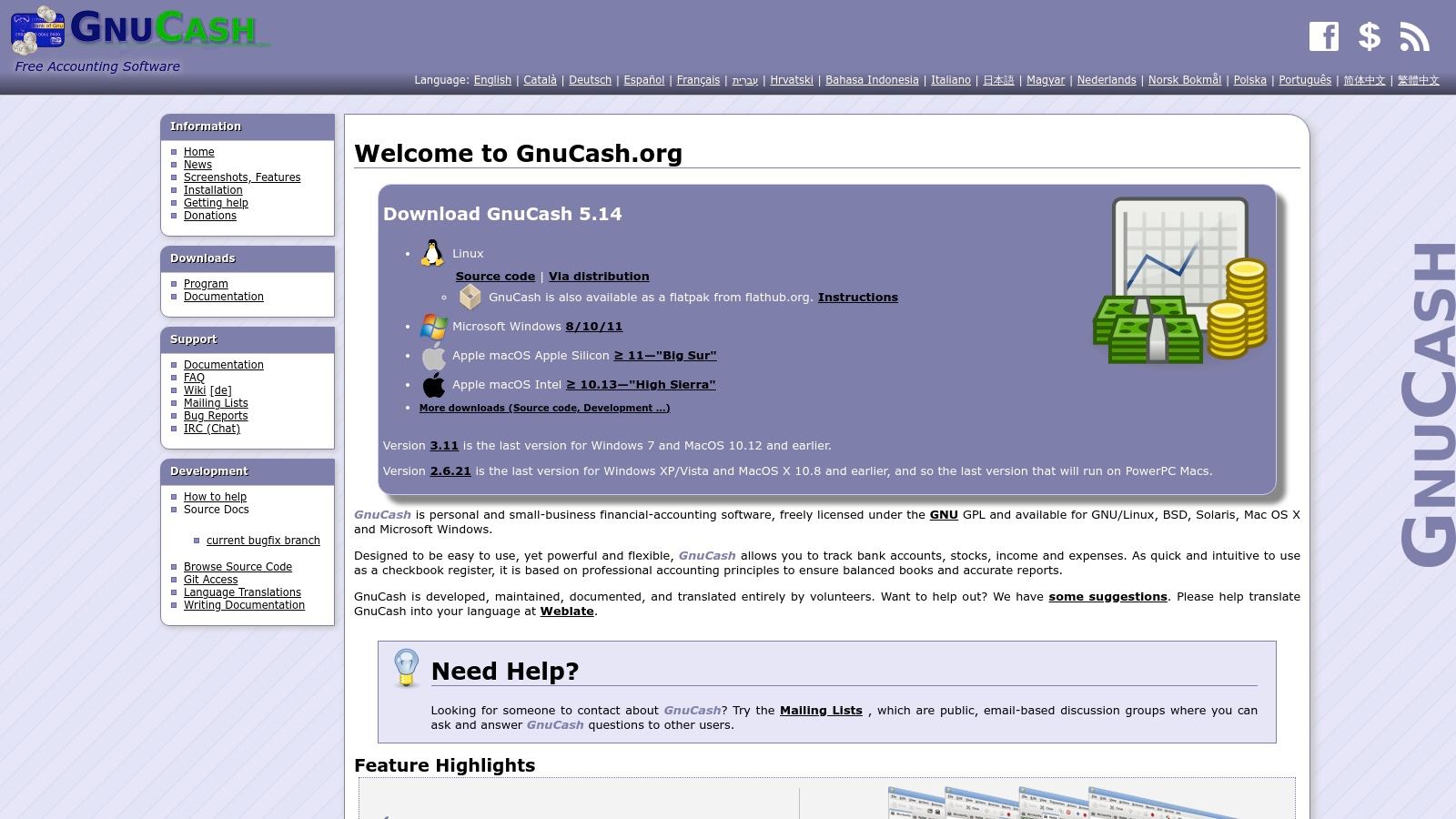
While its user interface may appear dated compared to modern web apps, GnuCash delivers a feature-rich experience that rivals some paid alternatives. It allows you to create invoices, manage accounts receivable and payable, and generate detailed financial reports. Its strength lies in its fundamental accounting capabilities rather than flashy cloud features.
Key Features and Limitations
GnuCash’s value comes from its complete, unrestricted feature set, which is available to all users without charge. However, its desktop-only nature creates certain limitations.
- Free Features: Comprehensive double-entry bookkeeping, invoicing, accounts payable/receivable, scheduled transactions, and importing of QIF/OFX bank files.
- Limitations: The desktop UI has a significant learning curve for those unfamiliar with traditional accounting software. There is no native cloud access or multi-user collaboration, making it less suitable for teams.
- Best For: Small business owners who need a full-featured, offline accounting solution and are comfortable with a more traditional, desktop-based interface. It’s ideal for those who prioritize data privacy and control over cloud convenience.
How It Complements ReceiptGen
Since GnuCash requires manual data entry for cash purchases or missing invoices, maintaining pristine records is crucial. If you need to create a professional, standardized receipt for an expense before logging it, ReceiptGen is an excellent tool. By using a template to quickly generate a clear digital receipt, you can ensure every expense entered into GnuCash is accurately documented and easily verifiable for your financial reports.
Website: https://www.gnucash.org
6. Akaunting (On-Premise)
Akaunting offers a unique proposition in the landscape of the best free accounting software for small businesses by providing a powerful, open-source, and self-hosted solution. The "Standard On-Premise" plan is entirely free and gives you complete control over your financial data. This makes it a fantastic choice for tech-savvy business owners who prioritize data privacy and want to avoid recurring monthly fees for core accounting functionalities.
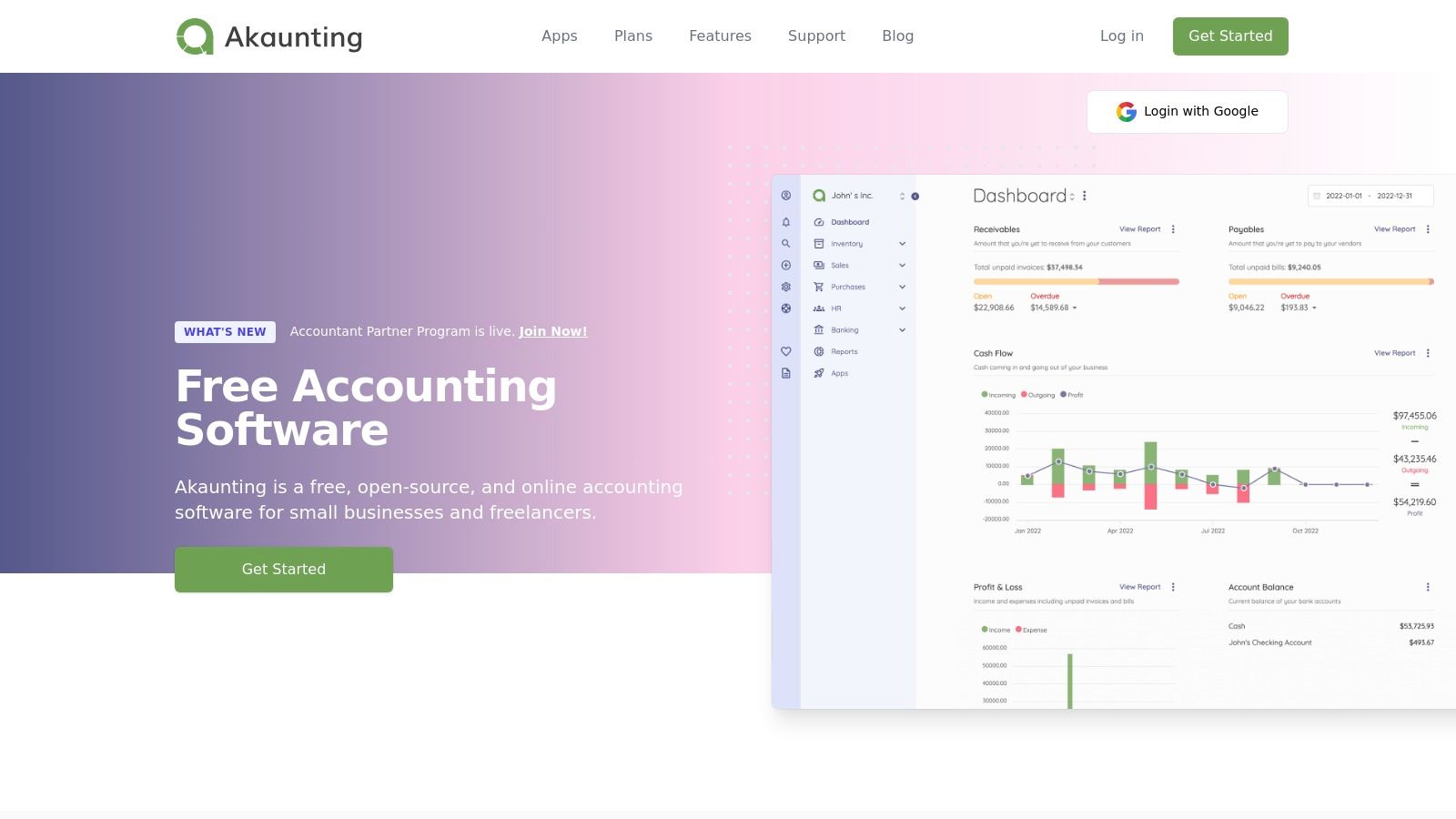
Its modern and clean web interface simplifies core tasks like managing invoices, tracking bills, and handling taxes. The platform is designed to be modular, allowing you to expand its capabilities through an extensive App Store as your business grows.
Key Features and Limitations
Akaunting’s strength lies in its free, self-hosted core, but advanced features often require paid apps or upgrading to a cloud plan. Setting it up requires some technical knowledge to manage your own server.
- Free Features: Core accounting tools including invoicing, billable expenses, customer management, and multi-currency support. You also get vendor management and powerful reporting tools.
- Paid Add-Ons: The App Store offers both free and paid extensions for features like online payments, project management, and advanced inventory. Akaunting also offers fully managed cloud-based plans for a monthly fee.
- Best For: Businesses with technical resources that want total data ownership and a customizable, no-cost accounting foundation. It is also great for users worldwide due to its strong multi-currency support.
How It Complements ReceiptGen
When managing your expenses in a self-hosted platform like Akaunting, maintaining organized and professional documentation is crucial. If you misplace a vendor receipt or need to document a petty cash purchase, you can’t rely on a linked bank feed to fill the gap. To create a compliant digital record for your manual entries, you can follow this guide on how to make a receipt for payment. This ensures every expense you log in Akaunting is backed by proper documentation for accurate bookkeeping.
Website: https://akaunting.com
7. Odoo Accounting (One App Free)
Odoo offers a unique proposition in the free accounting software space by providing its enterprise-grade Accounting app completely free under its "One App Free" plan. This is not a stripped-down version but a powerful, full-featured module designed for growing businesses. It includes robust double-entry accounting, bank synchronization, and AI-powered invoice recognition, making it a powerful choice for those who anticipate future expansion.
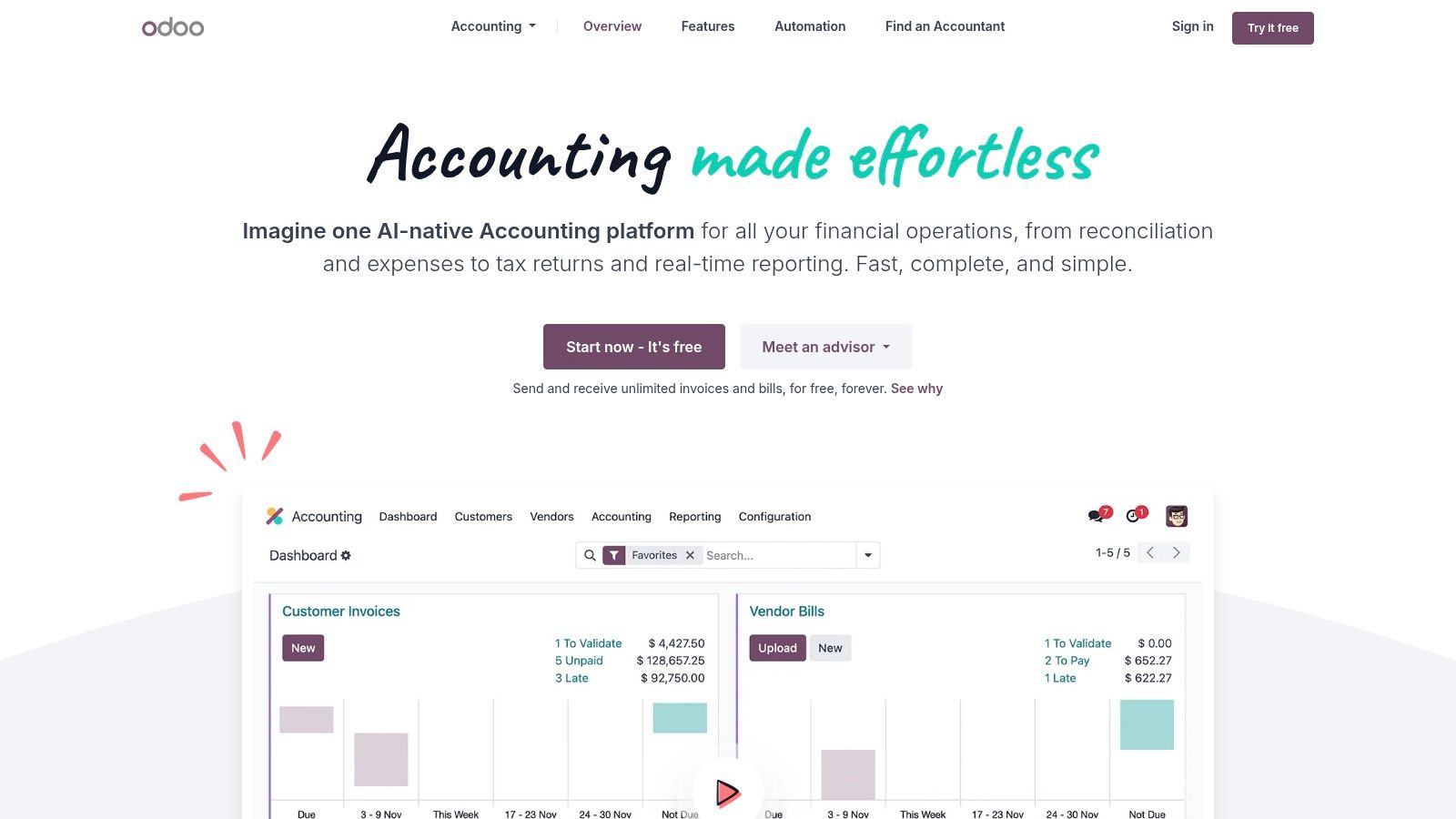
The platform is built to scale. As your business needs evolve, you can seamlessly add other Odoo apps like CRM, Inventory, or eCommerce, though this will move you to a paid plan. The user interface is comprehensive, and while it might feel more complex than simpler tools, it provides a depth of functionality rarely seen in a free offering.
Key Features and Limitations
Odoo’s free tier is incredibly generous for a single application, but its model is designed to grow with you into a paid ecosystem.
- Free Features: Full accounting suite with unlimited users, invoicing, bank reconciliation, real-time reporting, budgeting, and asset management.
- Paid Add-Ons: Access to any other Odoo application (like CRM, Sales, or Inventory) requires upgrading to a paid subscription, which bundles all apps together.
- Best For: Small businesses with plans for rapid growth that want an enterprise-level foundation without the initial cost. It is also great for those who might need more than just accounting in the future.
How It Complements ReceiptGen
Odoo’s AI can scan and digitize vendor bills, but you still need a valid, clear receipt for the system to process. If you have a crumpled thermal receipt or a missing invoice, using an online tool to create a clear digital record is crucial. To understand the essential components of a compliant receipt, you can consult this guide on how to make a receipt for payment. This ensures your expense records are accurate before uploading them into Odoo’s powerful system.
For those evaluating Odoo against other market leaders, you might find a comparison of Odoo vs Xero vs MYOB insightful.
Website: https://www.odoo.com/app/accounting
8. ERPNext (Self-Hosted)
For businesses seeking a powerful, long-term solution that extends beyond basic bookkeeping, the self-hosted version of ERPNext is a standout option. As a full-fledged, open-source Enterprise Resource Planning (ERP) system, its accounting module is incredibly comprehensive. This makes it one of the best free accounting software for small businesses with growth ambitions, offering a scalable platform that integrates financials with inventory, projects, and sales.
ERPNext's self-hosted model means you download the software for free and run it on your own server. While this requires technical know-how, it provides unparalleled control and customization without monthly subscription fees. The interface is modern and designed to manage complex operations, connecting everything from journal entries and accounts payable to stock levels and purchase orders in a single, unified system.
Key Features and Limitations
The free version gives you the complete software suite, but the "cost" is in the implementation and maintenance effort.
- Free Features: Complete double-entry accounting system with a general ledger, accounts receivable/payable, tax management, and multi-currency support. It includes fixed asset management and integrates seamlessly with other ERPNext modules like Stock and Projects.
- Paid Add-Ons: There are no paid add-ons for the software itself. Costs come from optional paid hosting through ERPNext's official service or third-party partners, as well as paid implementation support and training if you need expert assistance.
- Best For: Tech-savvy small businesses or those with IT support that need a powerful, all-in-one system. It’s ideal for companies in manufacturing, distribution, or retail that require tight integration between accounting and operations.
How It Complements ReceiptGen
ERPNext’s integrated "Buying" module allows you to track purchase orders and supplier invoices. If a supplier provides a non-standard or missing invoice for a direct purchase, you can use a tool to create a properly formatted record. To ensure the document you upload meets accounting standards, you can use a professional receipt maker to generate a clear, detailed receipt. This keeps your records in ERPNext consistent and audit-ready.
Website: https://erpnext.com
9. Dolibarr ERP/CRM
Dolibarr ERP/CRM is a powerful open-source platform that combines business management tools with robust accounting features. As a modular system, it allows small businesses to activate only the functions they need, making it a highly customizable and one of the most flexible options for free accounting software for small businesses. You can start with simple invoicing and progress to full double-entry accounting as your business grows.
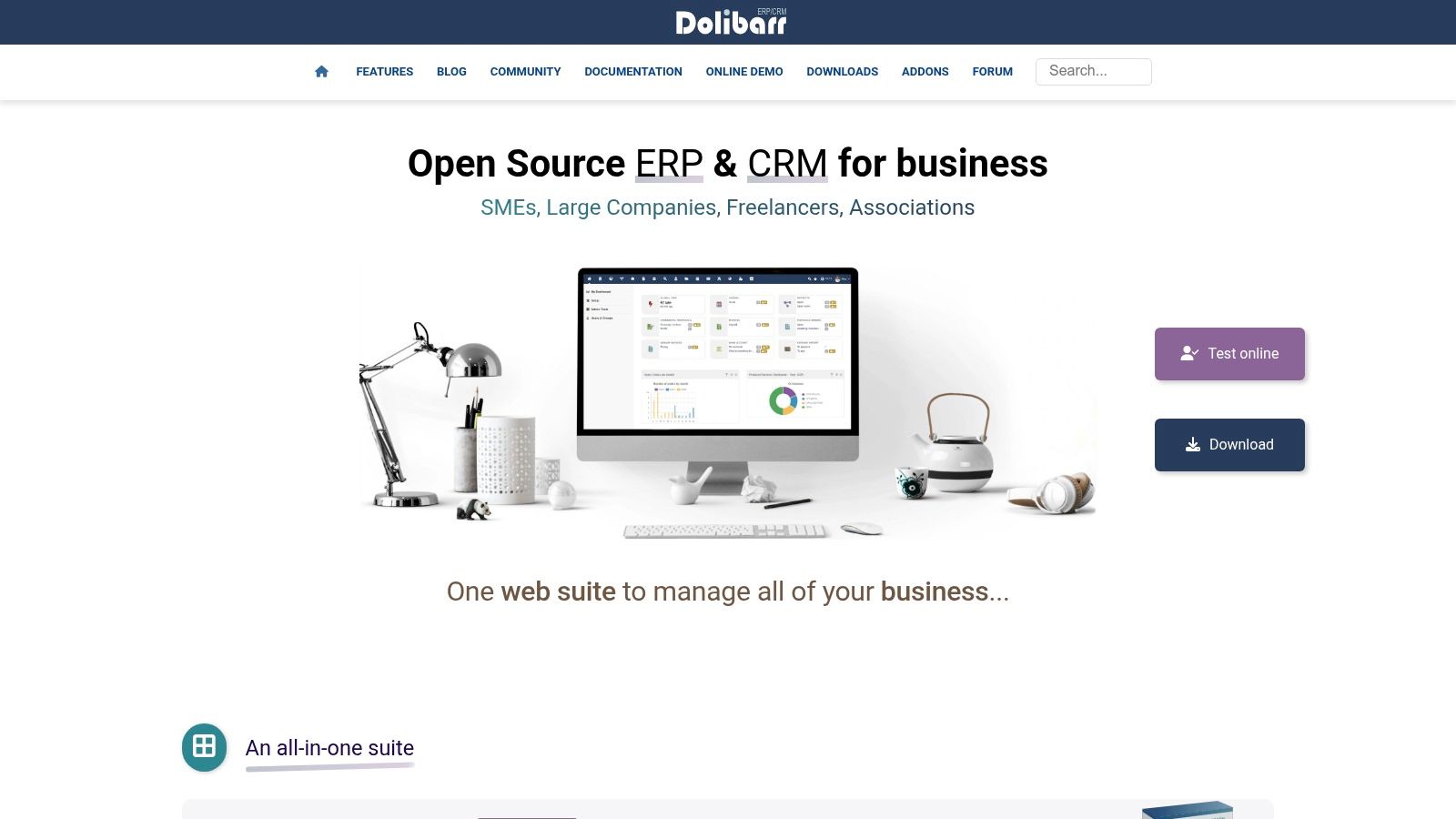
The platform is completely free to download and use on your own server, giving you full control over your data. Its strength lies in its ability to manage everything from invoicing and bank accounts to inventory and point-of-sale (POS) within a single integrated system, eliminating the need for separate applications.
Key Features and Limitations
Dolibarr's modularity is both its greatest strength and a potential challenge. While it offers immense flexibility, the initial setup and interface can take time to master compared to more streamlined, cloud-based solutions.
- Free Features: Entire software is free, including invoicing, bank account management, a simplified accounting module, and an advanced double-entry accounting module. It also includes predefined charts of accounts for multiple countries.
- Paid Add-Ons: While the core software is free, you may incur costs for web hosting if you self-host or opt for a paid cloud hosting partner. Additional modules from third-party developers are also available on the Dolistore.
- Best For: Tech-savvy small businesses that need an all-in-one ERP/CRM solution and want total control over their software. It is ideal for businesses that require integrated inventory, POS, and project management alongside their accounting.
How It Complements ReceiptGen
Since Dolibarr is a comprehensive record-keeping system, ensuring all expenses are documented is crucial. If you misplace a paper receipt for a business purchase, you can recreate a compliant digital version. Use a tool to generate a blank receipt template, fill in the necessary details, and upload it directly into Dolibarr. This maintains a complete and accurate audit trail within your ERP.
Website: https://www.dolibarr.org
10. LedgerSMB
LedgerSMB is a powerful open-source accounting and ERP system designed for small to medium-sized businesses that prioritize data control, auditability, and robust financial controls. Unlike cloud-based SaaS products, LedgerSMB is self-hosted, giving you complete ownership over your financial data. It offers a comprehensive suite of features grounded in proper double-entry accounting principles, making it an excellent free option for businesses with complex needs and the technical ability to manage their own software.
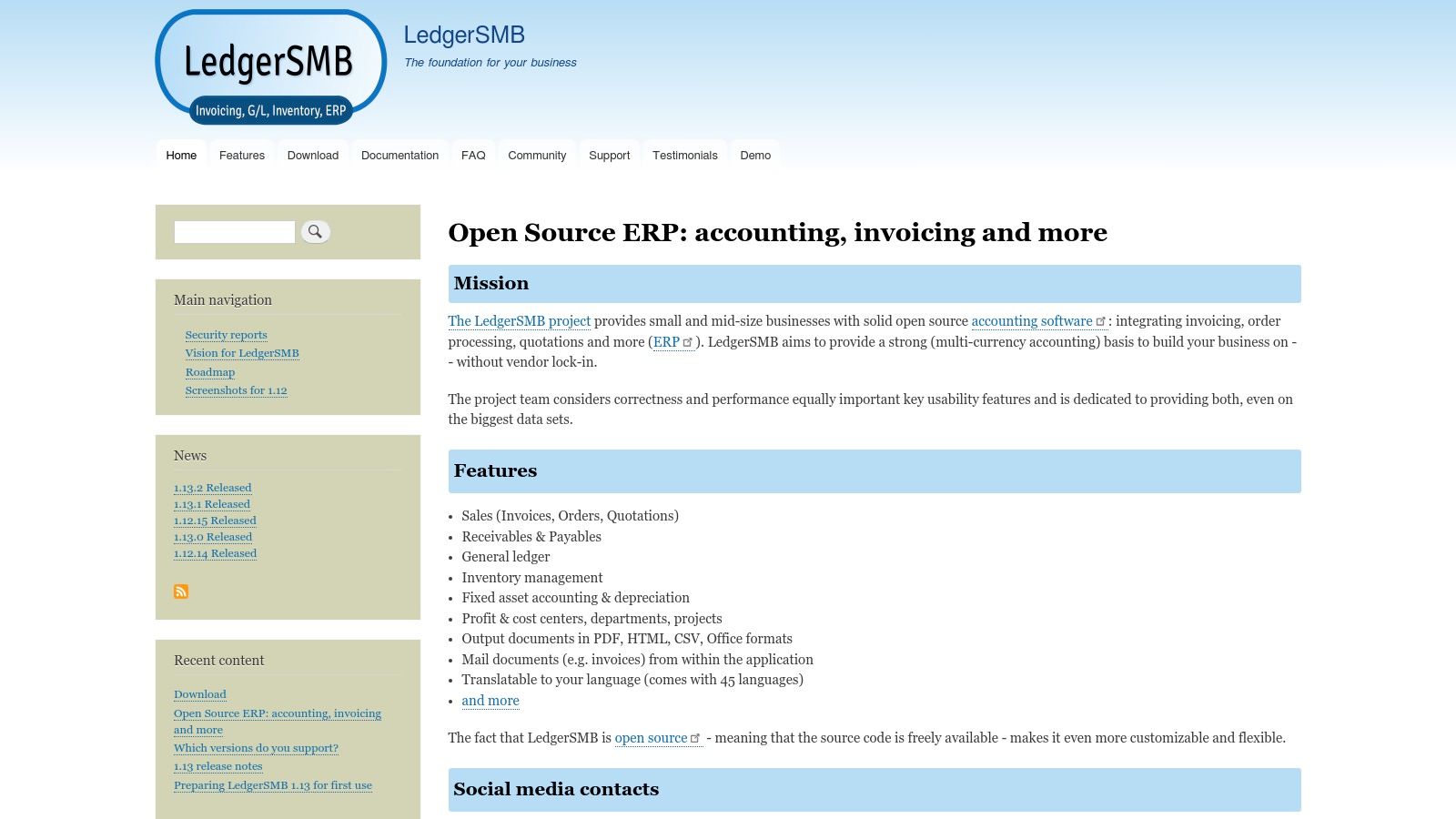
The platform goes beyond basic bookkeeping, incorporating features for inventory management, fixed asset depreciation, and multi-currency transactions. Its emphasis on accounting rigor and compliance makes it a standout choice among the best free accounting software for small businesses that require a more structured and auditable financial framework.
Key Features and Limitations
LedgerSMB is entirely free to download and use, but the primary cost is the time and technical expertise required for setup and maintenance. It is not an out-of-the-box solution for non-technical users.
- Free Features: Comprehensive general ledger, accounts receivable/payable, order management, invoicing, fixed assets and depreciation, and multi-currency support.
- Paid Add-Ons: There are no paid add-ons. The software is fully featured, but you may need to pay for hosting or for a consultant to help with implementation and support.
- Best For: Technically proficient small business owners or companies with an IT department that need a full-featured, auditable accounting system without subscription fees.
How It Complements ReceiptGen
Because LedgerSMB is self-hosted, maintaining impeccable records for manual entry is critical. If a physical receipt for a business expense is lost or damaged, you can’t rely on a cloud service to have a backup. Using a tool to create a digital record is essential for your audit trail. For help generating a clear and compliant record for your expenses, check out this guide on how to make a receipt for payment. This ensures every transaction you enter into LedgerSMB is properly documented.
Website: https://ledgersmb.org
11. FrontAccounting
FrontAccounting is an open-source, web-based accounting system designed for small to medium-sized companies. As one of the more technical options on our list of best free accounting software for small businesses, it offers a complete, professional accounting solution that you host yourself. This gives you total control over your data and avoids monthly fees, covering everything from sales orders and purchasing to inventory management and the general ledger.
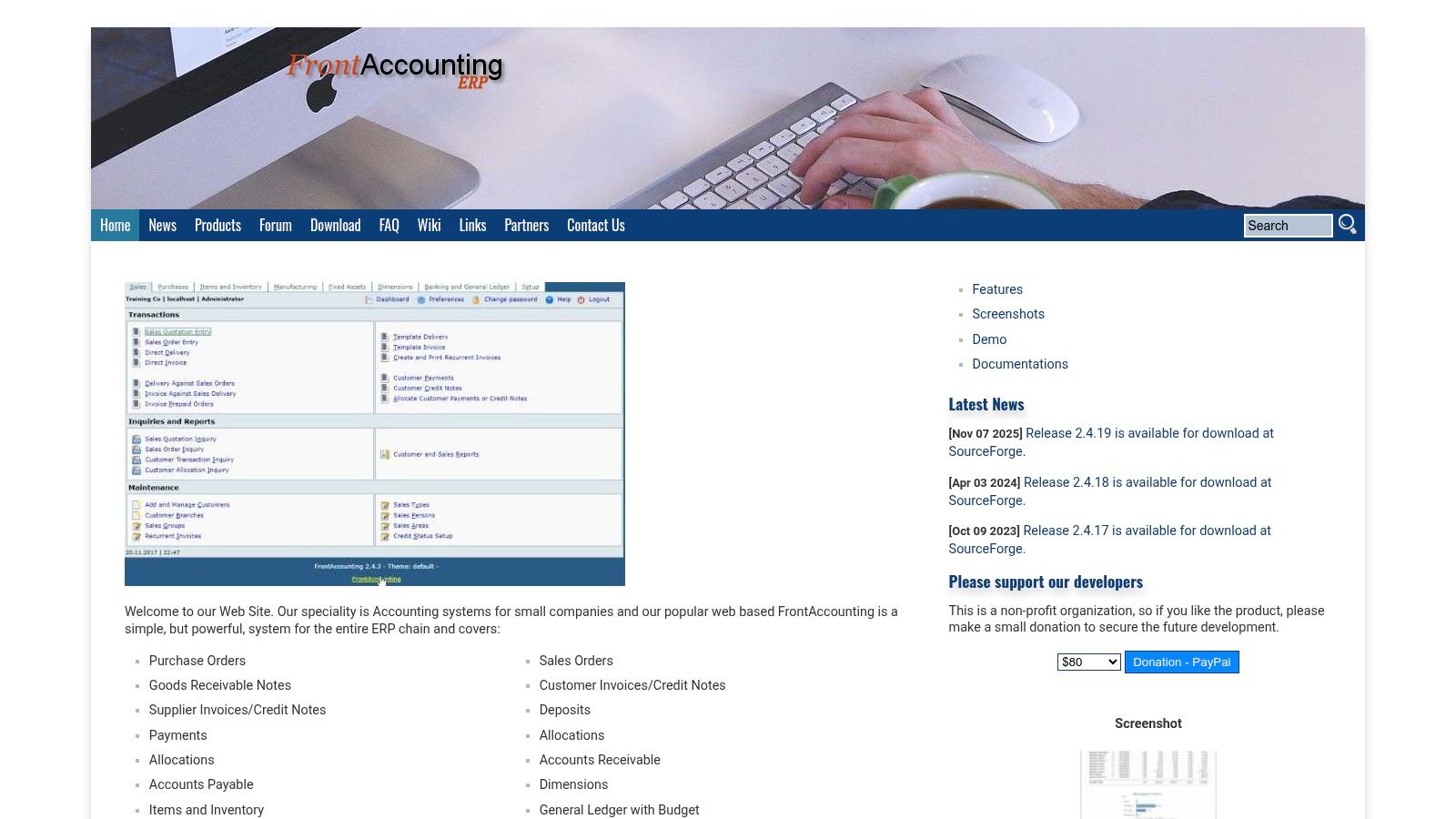
Its lightweight design ensures it runs efficiently even on modest hosting plans, making it a cost-effective choice for businesses with some technical expertise. The interface, while dated, is functional and provides access to powerful features like multi-company and multi-currency support right out of the box.
Key Features and Limitations
FrontAccounting provides a comprehensive feature set for free, but it requires self-hosting and lacks the plug-and-play simplicity of cloud-based SaaS products.
- Free Features: Complete accounting suite including sales, purchases, inventory, manufacturing, and general ledger. It supports multi-currency, multi-company setups, and budgeting.
- Paid Add-Ons: The software itself is entirely free. Costs are associated with web hosting, maintenance, and potentially hiring a developer for customizations or integrations.
- Best For: Small businesses with in-house technical skills or an IT partner. It’s ideal for companies that need full-featured accounting with inventory and manufacturing but want to avoid subscription costs and retain data ownership.
How It Complements ReceiptGen
Since FrontAccounting is a self-hosted solution, maintaining clean and organized expense records is crucial for accurate data entry. If you handle cash transactions or receive inconsistent invoices, creating standardized digital records is a must. You can use a tool to generate clear, professional receipts that align with your accounting categories. For a step-by-step process, see this guide on how to make a receipt, ensuring every expense you log is properly documented.
Website: https://frontaccounting.com
12. Frappe Books (Desktop)
Frappe Books is a modern, open-source, and completely free accounting software for small businesses that prefer a desktop application over a cloud-based one. As an offline-first solution, it provides freelancers and micro-businesses with a fast and private way to manage finances without relying on an internet connection. It offers a complete double-entry accounting system, including invoices, payments, bills, and essential financial statements, all stored locally on your computer.
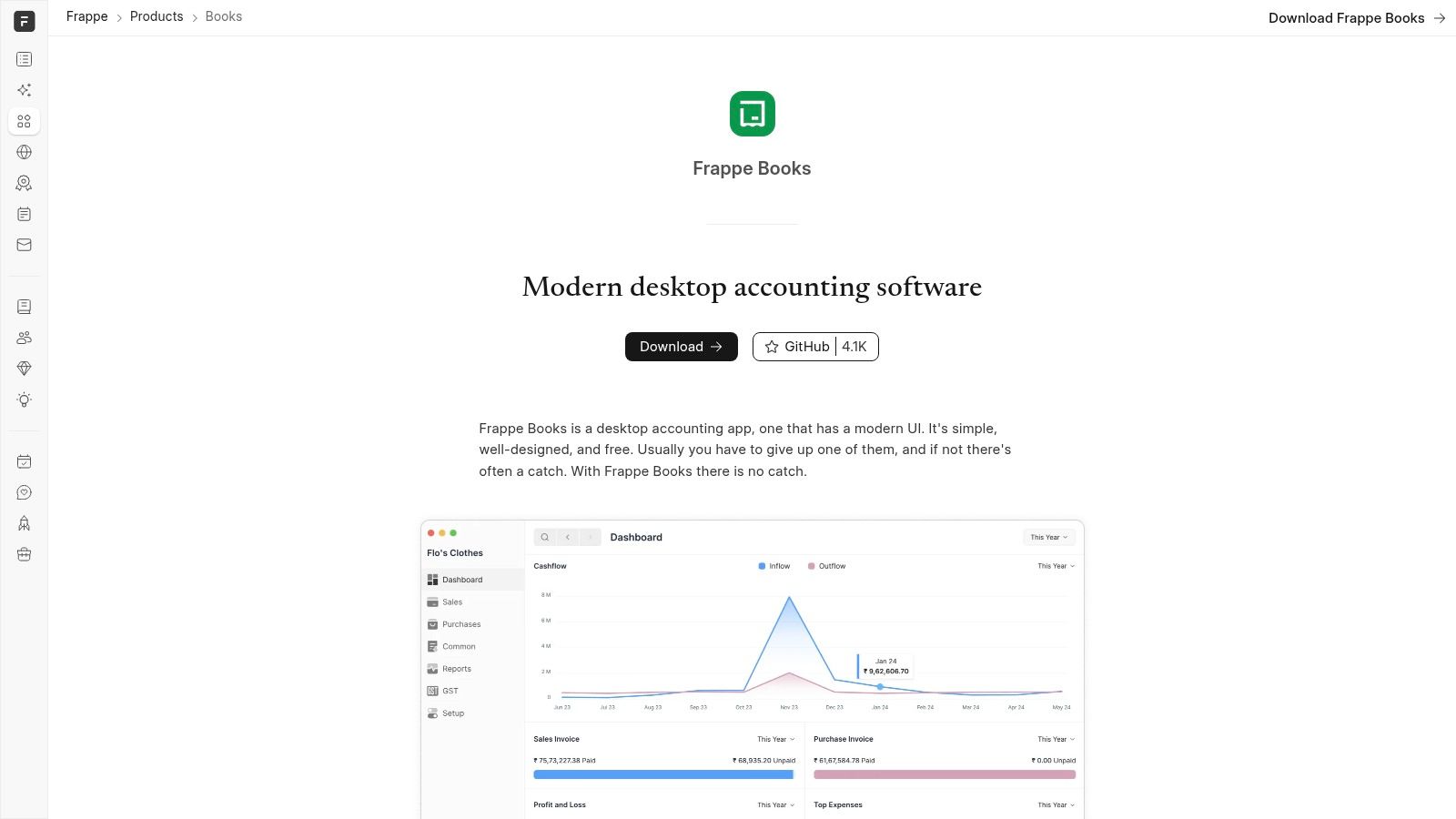
The user interface is clean, minimalist, and designed for simplicity, making core bookkeeping tasks feel effortless. Built by the same team behind the popular ERPNext, Frappe Books distills the essential accounting modules into a lightweight, cross-platform app that runs on Windows, macOS, and Linux.
Key Features and Limitations
Frappe Books is powerful for its intended use case but lacks the collaborative features of cloud platforms. Its strength lies in its speed, privacy, and zero-cost model.
- Free Features: Everything is free, including the general ledger, invoicing, billing, payments, journal entries, and a basic point-of-sale (POS) module. It also provides key reports like Profit & Loss and a balance sheet.
- Paid Add-Ons: There are no paid add-ons or tiers. The software is genuinely free and open-source, with no hidden costs for core features.
- Best For: Freelancers, consultants, and tiny businesses that need a straightforward, single-user desktop accounting solution. It is ideal for those who value data privacy and prefer not to store their financial information in the cloud.
How It Complements ReceiptGen
Since Frappe Books is a self-contained system, maintaining accurate expense documentation is crucial. If you misplace a paper receipt or need to log a cash purchase for entry into Frappe Books, creating a digital record is essential for compliance. You can use an online tool to produce a professional-looking digital copy. To understand the key elements every receipt should contain, refer to this guide on the anatomy of a receipt. This ensures your financial data is complete and auditable.
Website: https://frappe.io/books
Top 12 Free Accounting Software Comparison
| Product | Core features | UX / Quality | Price / Value | Target audience | Notable strengths |
|---|---|---|---|---|---|
| Wave Accounting | Cloud accounting, invoicing, basic reports, optional payments & payroll | ★★★☆☆ straightforward UI, easy accountant invite | 💰 Free core; paid payments & Pro | 👥 Freelancers & very small US/CA businesses | ✨ No-cost entry, unlimited collaborators |
| Zoho Books (Free Plan) | Invoicing, expenses, bank reconciliation, 1099 support, 50+ reports | ★★★★☆ robust suite + mobile apps | 💰 Free for micro businesses (revenue cap); paid tiers | 👥 Solopreneurs under revenue threshold | ✨ 1099 e-file & deep Zoho integrations |
| ZipBooks | Unlimited invoices & contacts, basic reporting, one bank link, PayPal/Square payments | ★★★☆☆ simple onboarding, helpful defaults | 💰 Free Starter; paid for automations & teams | 👥 Freelancers & small teams | ✨ Unlimited customers on free plan |
| Manager (Desktop Edition) | Full double-entry, AR/AP, inventory, fixed assets, bank import | ★★★☆☆ powerful reporting; utilitarian UI | 💰 Desktop edition free forever; cloud paid | 👥 Users needing offline, cross-platform desktop | ✨ Fully offline with no time/data caps |
| GnuCash | Double-entry bookkeeping, invoicing, QIF/OFX import, scheduled transactions | ★★★☆☆ mature feature set; dated UI | 💰 Completely free & open-source | 👥 Tech-savvy small businesses & personal users | ✨ GPL open-source longevity |
| Akaunting (On-Premise) | Invoicing, taxes, bank import, multi-currency, app marketplace | ★★★★☆ modern web UI (self-hosted) | 💰 Free self-hosted; paid Cloud & paid apps | 👥 Businesses wanting full data control | ✨ App Store + self-host flexibility |
| Odoo Accounting (One App Free) | Double-entry, bank sync, AI OCR, real-time reports, integrations | ★★★★☆ enterprise-grade; scalable | 💰 One app free; paid as you add apps | 👥 Growing SMBs wanting modular ERP | 🏆 Enterprise features + app ecosystem |
| ERPNext (Self-Hosted) | Full accounting, GL/AR/AP, taxes, fixed assets, integrated modules | ★★★★☆ powerful & extensible; heavier setup | 💰 Free to self-host; paid hosting/support | 👥 Businesses seeking long-term ERP platform | ✨ Full ERP stack + active community |
| Dolibarr ERP/CRM | Modular ERP/CRM, invoicing, POS, inventory, accounting modules | ★★★☆☆ modular but learning curve | 💰 Free self-hosted; paid hosting/services | 👥 Small businesses needing modular tools | ✨ Enable-only-needed modules |
| LedgerSMB | General ledger, invoicing, AR/AP, fixed assets, compliance features | ★★★☆☆ strong accounting rigor; less polish | 💰 Free & open-source; self-host | 👥 Compliance-minded SMBs & accountants | ✨ Auditability & performance focus |
| FrontAccounting | Sales/purchases, AR/AP, inventory, GL, budgeting, multi-company | ★★★☆☆ lightweight & resource-efficient | 💰 Free; runs on modest hosting | 👥 Small firms on limited hosting/resources | ✨ Low hosting requirements; focused flow |
| Frappe Books (Desktop) | Double-entry, invoices, bills, POS, local SQLite DB | ★★★★☆ modern, fast offline desktop | 💰 Free desktop; no native cloud multiuser | 👥 Freelancers & micro-SMBs wanting local files | ✨ Offline-first, lightweight from ERPNext ecosystem |
Final Thoughts
Navigating the world of business finances can be one of the most daunting tasks for any entrepreneur. The sheer cost of robust software often adds another layer of stress. However, as we've explored, the landscape is rich with powerful, free accounting solutions that can professionalize your bookkeeping without impacting your bottom line. The key isn't just finding a free tool; it's about finding the right free tool that aligns perfectly with your business model, technical comfort level, and future growth ambitions.
This comprehensive guide has showcased a diverse range of options, from the user-friendly, cloud-based simplicity of Wave and Zoho Books to the powerful, self-hosted control offered by ERPNext and Odoo. Each platform presents a unique trade-off. What you gain in feature-richness with an open-source solution, you might trade in ease of setup. What you gain in cloud convenience, you might trade in customization and long-term scalability without a subscription.
Key Takeaways for Choosing Your Software
As you make your final decision on the best free accounting software for small businesses like yours, remember these core principles:
- "Free" Has Different Meanings: Understand the limitations. For some, "free" means a feature-limited tier of a premium product (like Zoho Books). For others, it means completely free, open-source software that may require technical know-how to install and maintain (like GnuCash or Akaunting).
- Scalability is Crucial: Your business today is not your business tomorrow. Consider the growth path. Does the free plan have a hard user or transaction limit? Is there a logical, affordable upgrade path available if and when you need it? Starting with a tool that can't grow with you can lead to a painful data migration process down the road.
- Usability Over Features: An application with a hundred features you don't understand is less useful than one with ten features you can master. Be realistic about the time you can dedicate to learning a new system. If you aren't technically inclined, a self-hosted ERP might be more trouble than it's worth, making a platform like Wave a much smarter choice.
- Integration is Power: Your accounting software doesn't operate in a vacuum. Think about the other tools you rely on, from payment processors like Stripe to your CRM. Check for native integrations or Zapier compatibility to ensure your data flows smoothly, saving you countless hours of manual entry.
Your Actionable Next Steps
Feeling overwhelmed by the options? Don't be. Follow this simple, structured approach to make a confident choice:
- Define Your Must-Haves: Create a short list of 3-5 non-negotiable features. Do you absolutely need multi-currency support? Is inventory management critical? Is bank reconciliation a top priority?
- Shortlist Your Top 3: Based on your must-haves and the detailed reviews in this article, select your top three contenders.
- Test Them Out: Sign up for the free cloud-based options or download the desktop versions. Spend an hour with each, entering a few sample invoices and expenses. Get a feel for the user interface and workflow. This hands-on experience is the single most important step.
- Consider Your Support Needs: If you're likely to need help, prioritize platforms with active community forums (common with open-source) or accessible customer support, even on free plans.
Choosing the right accounting software is a foundational decision for your business's financial health. It’s the bedrock upon which you'll build your financial reports, track your cash flow, and make strategic decisions. By taking the time now to select a tool that fits your unique needs, you are investing directly in your company's stability and future success. You have the tools; now go build something great.
No matter which accounting software you choose, accurate expense tracking starts with a clear, professional receipt. If you need to create detailed receipts for cash transactions or expense reports, ReceiptGen provides an intuitive platform to generate custom receipts in seconds. Visit ReceiptGen to streamline your documentation and ensure every transaction is perfectly recorded.