
You might think of a credit card receipt as just another slip of paper, but it's so much more. It’s the formal, legal proof of a transaction that protects both you and your customer. Think of it as the official record that details what was bought, how much was paid, and the exact moment the sale happened.
Why a Professional Credit Card Receipt Matters
A good credit card receipt is like a firm, professional handshake that closes a deal. For your customer, it's their golden ticket for returns, a crucial document for tracking expenses, and the key to any warranty claims. Without it, they're left with no solid proof of their purchase, which can quickly turn a good experience into a frustrating one.
For your business, that same piece of paper is the cornerstone of your financial records. It’s absolutely essential for:
- Accurate Accounting: Receipts are the bread and butter of bookkeeping. They provide the raw data needed to keep your sales records precise and ready for any audit.
- Inventory Management: By clearly listing what you've sold, receipts help you keep a real-time, accurate count of what's left on your shelves.
- Dispute Resolution: If a customer initiates a chargeback, a clear and detailed receipt is your first and best line of defense to prove the transaction was legitimate.
Building Trust in a Growing Market
The need for solid documentation has never been greater. In 2024, the total value of credit card payments worldwide hit a massive USD 622.76 billion. Projections show that number skyrocketing to USD 1,433.49 billion by 2034. As businesses handle an ever-increasing volume of transactions, professional, clear receipts are no longer optional.
This is where modern tools like ReceiptGen come in. They give even the smallest shops the power to create polished, professional receipts that build customer confidence and make record-keeping a breeze.
Take a look at how straightforward it is to create a clean, professional receipt with a modern tool.
This simple interface lets you fill in a few fields and instantly generate a receipt that reinforces your brand's credibility with every single sale.
From Carbon Copies to Digital Records
We've come a long way from those flimsy, hard-to-read carbon copy receipts. Today, most receipts are secure digital records sent straight to a customer's inbox. This evolution isn't just about convenience; it adds a layer of security and organization for everyone. Of course, before you can issue a great receipt, you have to nail the basics of how to accept credit card payments securely and efficiently.
A well-crafted receipt does more than just confirm a payment; it reinforces your brand’s professionalism, provides legal protection, and creates a positive post-purchase experience for your customer. It’s a small document with a significant impact on your business operations.
Getting this foundational piece right is the first step toward creating receipts that truly work for your business and your customers.
What Makes a Great Credit Card Receipt?
A credit card receipt is much more than just a slip of paper. Think of it as the final handshake of a transaction—it's your proof of purchase, the customer's record, and a document that builds trust. When all the right pieces of information are in place, it creates a clear, professional, and compliant snapshot of the sale.
For any business, getting this right isn't just about good bookkeeping. It’s about giving customers confidence and protecting yourself from the headache of disputes down the road.
Let's break down exactly what goes into a solid receipt, splitting the components into two camps: the absolute must-haves and the highly recommended extras.
This simple diagram shows how that single piece of paper serves both the business and the customer, acting as the official record of their financial exchange.
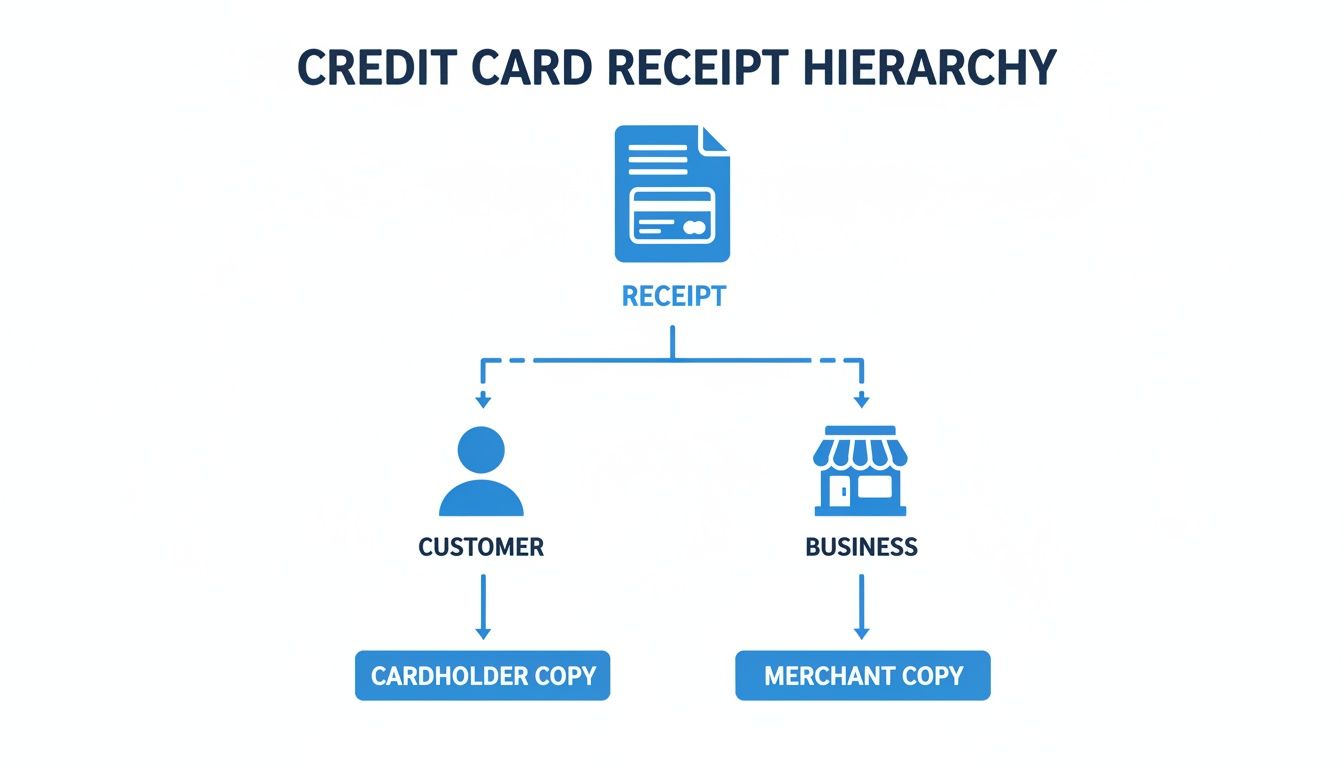
Ultimately, the receipt is a shared source of truth, confirming the what, when, and how much for everyone involved.
The Absolute Must-Haves
Some details are completely non-negotiable. These are the core elements required for legal compliance, payment processing, and basic transaction verification. Leave one out, and you could be setting yourself up for confusion, chargebacks, or even legal issues.
Every single credit card receipt needs to include these essentials:
- Your Business Information: Your business name, address, and phone number. This clearly answers the question, "Who did I pay?"
- Transaction Date and Time: This timestamp is vital for record-keeping, handling returns, and helping customers track their spending.
- Transaction Total: The final amount charged to the card. It's the most fundamental piece of the puzzle.
- Truncated Card Number: For security, always show only the last four digits of the credit card. This protects your customer’s sensitive financial data.
- Authorization Code: A unique code from the payment processor that confirms the transaction was officially approved.
Think of these five items as the foundation. Without them, the receipt can't do its job, leaving both you and your customer without proper proof of purchase.
The Highly Recommended Extras
While the must-haves cover your bases, the "good-to-haves" are what turn a basic receipt into a professional document that truly serves your customer. These details add clarity, proactively answer questions, and show that you're committed to transparency.
Consider adding these components to level up your receipts:
- An Itemized List of Products or Services: Breaking down the purchase shows exactly what was bought. This is incredibly helpful for customers who need to track expenses or manage their budgets. You can learn more by checking out our guide to the perfect itemized receipt template.
- Tax and Tip Details: Clearly separating sales tax, gratuity, and any other fees from the subtotal leaves no room for confusion about the final cost.
- Return Policy or Terms of Service: Putting this directly on the receipt is a smart way to manage expectations and prevent future disagreements.
- Customer Service Information: An email address or website gives customers a simple way to get in touch if they have a question.
With credit card usage at an all-time high, the need for this level of detail is more important than ever. By the first quarter of 2024, the U.S. had a record 631.39 million credit card accounts, with balances reaching USD 1.18 trillion. Since credit cards now account for 35% of all payments, businesses are handling more of these slips than ever before. For those using ReceiptGen, our editor makes it easy to add or hide sections, adjust fonts, and include all necessary store details to keep your receipts compliant and customer-friendly.
Required vs. Optional Information on a Credit Card Receipt
To make it even clearer, let's look at the essential and value-add components side-by-side.
| Component | Category | Purpose |
|---|---|---|
| Business Name, Address, Phone | Required | Identifies the merchant and provides contact information. |
| Date and Time of Transaction | Required | Creates a precise record for accounting and disputes. |
| Total Transaction Amount | Required | The final, most crucial figure confirming the charge. |
| Truncated Card Number (Last 4) | Required | Protects customer data while confirming the payment method. |
| Authorization Code | Required | Proof from the processor that the transaction was approved. |
| Itemized List of Goods/Services | Optional | Provides a detailed breakdown of the purchase for clarity. |
| Breakdown of Tax, Tip, Fees | Optional | Enhances transparency by showing how the total was calculated. |
| Return Policy / Terms of Service | Optional | Manages customer expectations and clarifies transaction terms. |
| Customer Service Contact Info | Optional | Offers a direct line for support, improving customer relations. |
Having a clear understanding of what’s required versus what’s a best practice helps you design a receipt that not only meets legal standards but also serves as an effective tool for customer communication.
Staying Compliant with Receipt Legal and Privacy Rules
When you handle a customer's payment information, you're taking on a huge responsibility. A credit card receipt is more than just proof of a sale—it’s a sensitive document. Because of this, it's covered by some pretty strict legal and privacy rules designed to keep consumers safe. Getting these rules right isn't just a good idea; it's a must for building trust and avoiding some serious trouble.
The big one you need to know about is the Fair and Accurate Credit Transactions Act (FACTA). Think of FACTA as the set of guardrails that keep sensitive card information from ending up where it shouldn't. Its whole purpose is to fight identity theft by putting limits on what you can actually print on a customer's receipt.
This federal law lays out specific security measures that dictate how you create and print every single receipt. Ignoring it can lead to hefty fines and legal headaches, so it's something you really need to get a handle on.
What FACTA Means for Your Receipts
At its core, FACTA has a simple but powerful rule: you have to truncate (that’s the official term for shorten) the credit card number on any electronically printed receipt. This means you are legally forbidden from printing the customer’s full credit card number on their copy.
Here's a quick rundown of what you absolutely cannot print on a customer-facing receipt:
- The Full Credit Card Number: You can show, at most, the last five digits of the card number. To be safe, most businesses just show the last four.
- The Card's Expiration Date: This is also considered sensitive data and has to be left off the receipt entirely.
So, a compliant receipt would show a card number as **** **** **** 1234, but never the full 1234 5678 9012 1234. This one simple change makes a lost or stolen receipt practically useless to a thief. With credit card fraud losses expected to top $403 billion worldwide over the next decade, this rule is a critical line of defense.
FACTA's truncation rule is non-negotiable. It's a fundamental security practice that protects your customers from identity theft and your business from liability. Always ensure your point-of-sale system or receipt generator is configured to mask sensitive card data automatically.
Securely Storing and Managing Receipts
Your responsibility doesn’t just end when you hand over the receipt. How you store your own copy of the transaction records is just as critical. You'll need these records for bookkeeping, tax season, and to handle any potential chargeback disputes down the road. The IRS generally recommends keeping financial records, including receipts, for at least three years.
When it comes to storage, you've got two main routes, and both have their own security needs.
Physical Storage: If you're old school and keep paper copies, they need to be under lock and key—think a secure file cabinet. Only authorized people should have access. This helps prevent both internal and external theft of your customers' data.
Digital Storage: Going digital is often more efficient and can be more secure. Using encrypted, cloud-based accounting software like QuickBooks or a secure server keeps your data safe from things like fire, flood, or physical theft. Just make sure whatever system you use is password-protected and uses strong encryption.
Managing the entire lifecycle of a receipt, from the moment you create it to how you eventually store it, is a cornerstone of running a responsible business. It shows customers you take their security seriously, keeps you on the right side of the law, and protects your own financial well-being.
How to Create a Custom Receipt in Minutes
Making a professional-looking credit card receipt shouldn't be a chore. With the right tool, you can go from a blank page to a polished, ready-to-send document in just a couple of minutes. This isn’t just about looking good—it’s about keeping your records clean and giving your business the credibility it deserves.
Let’s walk through just how simple it is to generate a sharp, professional receipt using ReceiptGen. It's the perfect setup for busy freelancers, service providers, and small business owners who need to be efficient without cutting corners on quality.
This kind of speed is becoming more and more essential. The world is swiping, tapping, and inserting cards like never before. In fact, forecasts predict credit card spending will hit a staggering USD 3.843 trillion by 2025, leaving cash and checks in the dust. With transaction giants like UnionPay and Visa processing mind-boggling volumes, every business needs a fast, reliable way to document each sale.
Step 1: Start with a Professional Template
The quickest path to a great receipt is to skip starting from scratch. Forget wrestling with spacing and alignment in a word processor. Instead, kick things off with a professionally designed template that already has all the right bones.
ReceiptGen has a whole library of over 15 templates built for different industries—from restaurants and retail shops to hotels and hardware stores. This lets you pick a layout that feels natural for your business and already includes the most relevant fields. Whether you need a simple sales slip or a detailed service invoice, choosing a template gives you a massive head start.
Step 2: Add Your Branding and Business Details
Once you’ve picked your template, it’s time to make it yours. A branded receipt does more than just record a transaction; it reinforces who you are and makes your business memorable. The first, and most impactful, touch is uploading your company logo. It instantly adds a stamp of professionalism.
Next, you'll want to plug in your key business information. The editor makes this part a breeze:
- Your Business Name: The official name everyone knows you by.
- Business Address: Your physical storefront or mailing address.
- Phone Number and Email: The best ways for customers to reach you.
This info neatly populates the header, so there’s never any confusion about who the customer did business with.

As you can see, the live editor means you see every change as it happens. No more guessing what the final version will look like.
Step 3: Enter Line Items and Payment Information
With your branding in place, it's time for the nuts and bolts of the transaction. This is where you list out every product sold or service you provided. For each line item, you’ll add a description, quantity, and price, and the tool handles the subtotal calculation for you.
You can then add the other important financial details:
- Taxes: Plug in the local sales tax rate.
- Discounts: Apply any special offers or discounts.
- Shipping Costs: Add any shipping and handling fees if they apply.
Finally—and this is the key part for a credit card receipt—you’ll record the payment. In the payment section, simply select "Credit Card" from the list of options. This clearly marks how the customer paid, which is crucial information for both your accounting and their records. For businesses that are always on the move, integrating mobile POS systems can make this process even smoother.
Step 4: Customize and Finalize Your Receipt
The last step is all about the finishing touches. This is your chance to review everything and make small tweaks to get the document just right. The live editor puts you in complete control.
You can:
- Adjust Fonts: Pick a font that perfectly matches your brand’s personality.
- Add or Remove Sections: Don’t need a shipping field? Hide it with a click. Want to add a personal note or your return policy? You can add a custom text block.
- Customize Labels: Change "Item" to "Service" or "Price" to "Rate" to make the language fit what you do.
Being able to see your changes in real-time is a game-changer. It turns what used to be a tedious task into a simple, almost creative process, letting you build a receipt that’s as professional as it is functional.
Once you’re happy with how it looks, you can instantly export the receipt as a PDF. From there, you can print a physical copy or attach it to an email for a quick, paperless record. The entire workflow, from picking a template to having a finished PDF, can be done in just a few minutes.
If you want some inspiration, check out the wide variety of professionally designed receipt templates available to find the perfect starting point for your business.
Receipt Examples for Different Business Needs
A credit card receipt isn't a one-size-fits-all document. Think about it: a mechanic's toolbox is completely different from a chef's, and the same logic applies here. The ideal receipt changes based on the business, because a generic slip of paper just doesn’t capture the unique details of every transaction. This can lead to confused customers and major headaches for your bookkeeping down the line.
The great thing about modern receipt generators is their flexibility. You can create a document that speaks your industry's language, giving customers total clarity and reinforcing your professional image. Let's look at a few examples of how different businesses can tailor their receipts to fit exactly what they do.

The Restaurant Receipt
For any restaurant, a transaction is so much more than the cost of the food. It’s about service, tips, and managing the floor. A standard retail receipt would completely miss these critical details, and that’s a recipe for chaos.
A properly designed restaurant receipt should have specific fields that make the whole dining experience smoother for everyone involved. These aren't just nice-to-haves; they are absolutely essential for running a tight ship.
Key custom fields should include:
- A Clear Tip Line: This is non-negotiable. You need a dedicated, easy-to-see space for the customer to add a gratuity.
- Suggested Tip Percentages: Most modern POS systems do this now, but showing calculated suggestions (like 18%, 20%, 25%) makes it so much easier for diners.
- Table Number and Server Name: This info is vital for your internal tracking. It helps management see who's doing what and quickly fix any order mix-ups.
When you include these elements, the receipt becomes an active part of your service workflow, not just a forgotten piece of paper.
The Contractor or Service Provider Receipt
Now, let's switch gears and think about a contractor, a plumber, or an IT consultant. What they sell is a mix of physical materials and their own time and skill. A simple list of items and prices just won't fly here. Their customers need to see a transparent breakdown of exactly what they're paying for.
For any service-based business, a detailed credit card receipt is a trust-building tool. It shows the customer exactly where their money is going, justifying the total cost and preventing arguments later.
A contractor’s receipt has to clearly separate these two categories:
- Itemized Materials: A list of every single part used, with the quantity and cost per unit (e.g., 2x rolls of copper wire @ $25/each).
- Labor Costs: A clear breakdown of the work done, usually listed as an hourly rate multiplied by the hours worked (e.g., 4 hours of electrical labor @ $75/hour).
- Project or Job ID: A unique number helps both you and the client easily find and discuss this specific job in the future.
This level of detail turns the receipt into a full project summary, answering your client's questions before they even have a chance to ask them.
The Retail Store Receipt
For a retail business, the focus is all about the product, inventory, and customer service policies. The sale itself might be simple, but it’s the details after the purchase that really matter to the shopper.
A good retail receipt has to be designed to make returns, exchanges, and warranty claims as painless as possible.
Essential fields for any retail receipt are:
- SKU or Item Numbers: These codes are the backbone of inventory tracking and help your staff find a product in the system instantly for a return.
- Detailed Product Descriptions: Instead of a generic "shirt," a good receipt specifies "Men's Blue Polo - Large." It leaves no room for confusion.
- Return Policy: Printing your return and exchange policy right on the receipt manages customer expectations from the get-go.
- Warranty Information: For anything like electronics or appliances, adding the warranty period is a small touch that provides huge value to the customer.
To see how these needs vary, let's compare them side-by-side.
Receipt Customization by Business Type
| Business Type | Key Receipt Fields | Why It's Important |
|---|---|---|
| Restaurant | Tip Line, Tip Suggestions, Server Name, Table Number | Essential for tracking service, managing staff, and ensuring proper gratuity. It's the core of the dining transaction. |
| Contractor | Itemized Materials, Labor Breakdown (Hours x Rate), Project ID | Builds trust by showing exactly what the client paid for—separating parts from labor to prevent disputes. |
| Retail Store | SKU/Item Number, Detailed Product Description, Return Policy, Warranty Info | Crucial for inventory management, simplifying returns and exchanges, and providing clear post-purchase support. |
As you can see, a little bit of customization goes a long way.
Each of these examples shows that a well-thought-out credit card receipt is much more than proof of payment—it’s a customized communication tool that reflects the unique way you do business.
Best Practices for Managing Your Receipts
Handing over a clear, professional credit card receipt is really just the beginning. How you manage those little slips of paper (or digital files) afterward is what turns them from potential clutter into a genuine asset for your business or your personal finances. With a few smart habits, you can clean up your bookkeeping, protect yourself from headaches, and even discover some valuable insights.
For any business owner, good receipt management is the foundation of financial health. We're talking about more than just cramming everything into a shoebox to deal with at tax time. The data on each receipt tells a story—it can reveal powerful trends about your sales, helping you pinpoint your busiest hours, identify your most popular products, and understand what your customers are really buying.
And don't forget branding. Every receipt that leaves your shop should look like it came from your shop. Consistent, professional branding reinforces your image and makes it a heck of a lot easier for customers to recognize your charges on their statements.
Smart Strategies for Business Owners
Getting your receipts organized from the get-go will save you from a world of pain later. The age-old debate is digital versus physical, but honestly, a mix of both is often the most practical solution.
- Go Digital First: The moment you get a paper receipt, scan it. Or better yet, use an app to capture it. Digital copies are searchable, safe from coffee spills, and can be backed up to the cloud so you never lose them.
- Create a Logical Filing System: Whether you're using a filing cabinet or a folder on your computer, organize receipts by month and then break them down by category. Think "Office Supplies," "Travel," or "Inventory." This makes pulling up a specific document take seconds, not hours.
- Put Your Receipt Data to Work: Make it a habit to look at your sales data. Are certain services booming on the weekends? Did that Tuesday promotion actually move the needle? The answers are sitting right there in your receipts.
A well-organized receipt system does more than just get you ready for tax season. It becomes a strategic tool for analyzing how your business is doing, spotting opportunities to grow, and making smarter decisions with your money.
Tips for Customers and Employees
On the personal side, managing receipts is all about mastering your own finances and staying on top of work-related tasks. Whether you're tracking your household budget, getting ready to file your taxes, or submitting an expense report, a little organization goes a long way.
One of the most important habits you can build is regularly matching your receipts to your credit card statements. This simple check is your first line of defense against billing errors, duplicate charges, or outright fraud. With financial losses from credit card fraud projected to top $403 billion worldwide in the next ten years, a few minutes of your time is a small price to pay for peace of mind.
Here’s how you can stay on top of your own records:
- Organize for Expense Reports: If you travel for work, keep every single business-related receipt in a dedicated envelope or a specific digital folder. It makes filling out those expense reports a breeze and ensures you get every penny you're owed.
- Maximize Tax Deductions: Are you a freelancer or do you have a home office? Receipts for any business-related purchase are pure gold when it comes to claiming deductions. Keep detailed records of everything from software to printer paper.
- Handle Returns and Warranties: Always hang on to receipts for big-ticket items. That little piece of paper is your proof of purchase, and it’s essential if you ever need to make a return, an exchange, or a warranty claim down the road.
For a deeper dive into handling multiple copies, you can learn more about the best ways to manage copies of receipts for various situations.
Got Questions About Credit Card Receipts? We’ve Got Answers.
Even after you've mastered the basics, you're bound to run into a few specific questions about handling credit card receipts. These are the kinds of practical, real-world queries we hear all the time. Let's tackle some of the most common ones so you can manage your receipts with total confidence.
How Long Should I Keep My Credit Card Receipts?
This is easily one of the most common questions, and the answer really depends on who you are. The main goal is to hang onto them long enough to cover yourself for tax season and to protect any major purchases you've made.
For business owners, the magic number comes from the IRS. They recommend keeping all financial records, including your receipts, for at least three years from the date you file your taxes. This is your safety net in case of an audit.
For personal use, things are a bit more relaxed. A good rule of thumb is to keep any receipts for tax-deductible items for that same three-year window. For big-ticket items like a new laptop or a washing machine, you'll want to keep the receipt until the warranty is up.
Are Digital Receipts as Good as Paper Ones?
Absolutely. A digital credit card receipt holds the exact same weight as a physical one. As long as it contains all the essential information—the merchant's name, date, amount, and a masked card number—it's considered valid proof of purchase.
The IRS, major retailers, and your own employer will all accept digital receipts for everything from tax filings and product returns to expense reports. It’s the data on the receipt that matters, not the paper it's printed on.
This is why so many businesses and individuals have shifted to digital records. It's just more efficient.
What Do I Do If There's a Mistake on a Receipt?
It happens. If you're the customer and spot an error on your receipt—maybe you were overcharged or the wrong item is listed—get in touch with the business right away. A polite call or visit to point out the mistake is all it takes for them to issue a refund or a correction.
If you're the business owner, acting fast is key. When a customer points out an error, jump on it. Issue a corrected receipt or a credit memo immediately. This isn't just about keeping your books straight; it's a sign of great customer service that builds trust and keeps people coming back.
Ready to create flawless, professional receipts every time? With ReceiptGen, you can generate custom, compliant credit card receipts in seconds. Start designing your perfect receipt for free at https://receiptgen.com.